
How to Make a Blurry Video Clear Without Losing Quality
Here is how to make a blurry video clear using MiniTool Video Converter and Topaz Labs. Simply upload a video and improve the quality immediately.
Here is how to make a blurry video clear using MiniTool Video Converter and Topaz Labs. Simply upload a video and improve the quality immediately.
Here you’ll find solutions and guides that show how AI can improve your workflow, especially in handling video and audio. At present, we focus on speech to text conversion and video quality enhancement using AI models, bring you great benefits and convenience. With these features, you can quickly translate voice to text, extract text from audio, and easily increase video resolution.
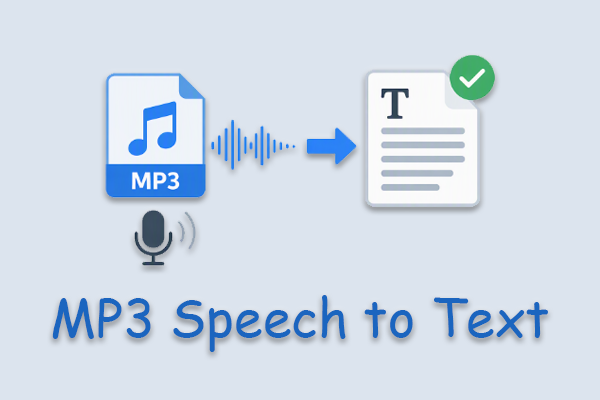
Learn how to transcribe MP3 speech to text with MiniTool Video Converter. Upload an MP3 file, generate and edit the transcript, then export or save the text.
Convert German speech to text with MiniTool Video Converter. Follow the steps to import a file, transcribe it, review the result, and export the transcript.
Compare three AI note taker from audio: MiniTool Video Converter, Notta, and Microsoft Word, and follow the steps to convert audio into text notes.

Both MiniTool Video Converter and AudioConver are best speech-to-text app for hearing impaired free. This article compares their key features.
Convert Chinese speech to text with MiniTool Video Converter by importing Chinese audio, selecting an AI model, editing the generated text, and exporting it.
Transcribe Japanese speech to text by importing the audio, choosing an output format, and exporting it with a transcription tool like MiniTool Video Converter.
Transcribe a lecture to text by importing a recording into MiniTool Video Converter or Otter.ai, generating and editing the transcript, then exporting it.
How to transcribe MP4 to SRT? Get a speech-to-text converter, add an MP4 video, set SRT as the output format, and start converting.
This guide shows how to transcribe Korean speech to text using MiniTool Video Converter, creating editable SRT or TXT subtitles easily and quickly.
This guide explains how to transcribe Arabic video using MiniTool Video Converter. Learn how to improve transcription accuracy with practical tips.