

This article shows how to transcribe Korean speech to text using MiniTool Video Converter. Users import a file, generate transcripts with AI, then edit and export them as SRT or TXT. It also highlights the main benefits of transcription, including improving listening skills, learning vocabulary, and more.
How to Transcribe Korean Speech to Text?
Fast Track Steps:
- Launch a speech-to-text converter.
- Add the Korean audio file.
- Export it in SRT or TXT.
I recommend a simple and easy-to-use Korean transcriber: MiniTool Video Converter. It not only accurately recognizes Korean audio/video but also allows for editing before exporting the text. This software supports importing various video and audio formats, such as MP4, MKV, MOV, WebM, AVI, RMVB, MP3, WAV, M4A, CAF, AIFF, and more.
1. Launch the Korean Speech to Text Converter.
Download and install this Korean transcription tool on your computer. Then, launch it.
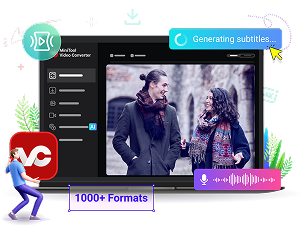
 MiniTool Video Converter
-
 Batch convert video/audio files among 1000+ formats.
 - Quickly compress videos for easy storage and transfer.
- Accurately extract subtitles from video/audio files.
- Effectively enhance video quality.
2. Add the Korean video file.
Go to the Intelligent Subtitle tab. Then, click the Choose Video option.
Next, a window will pop up asking you to select an AI model. Since the Korean audio I transcribed consisted of relatively simple sentences, a basic model was sufficient for me.
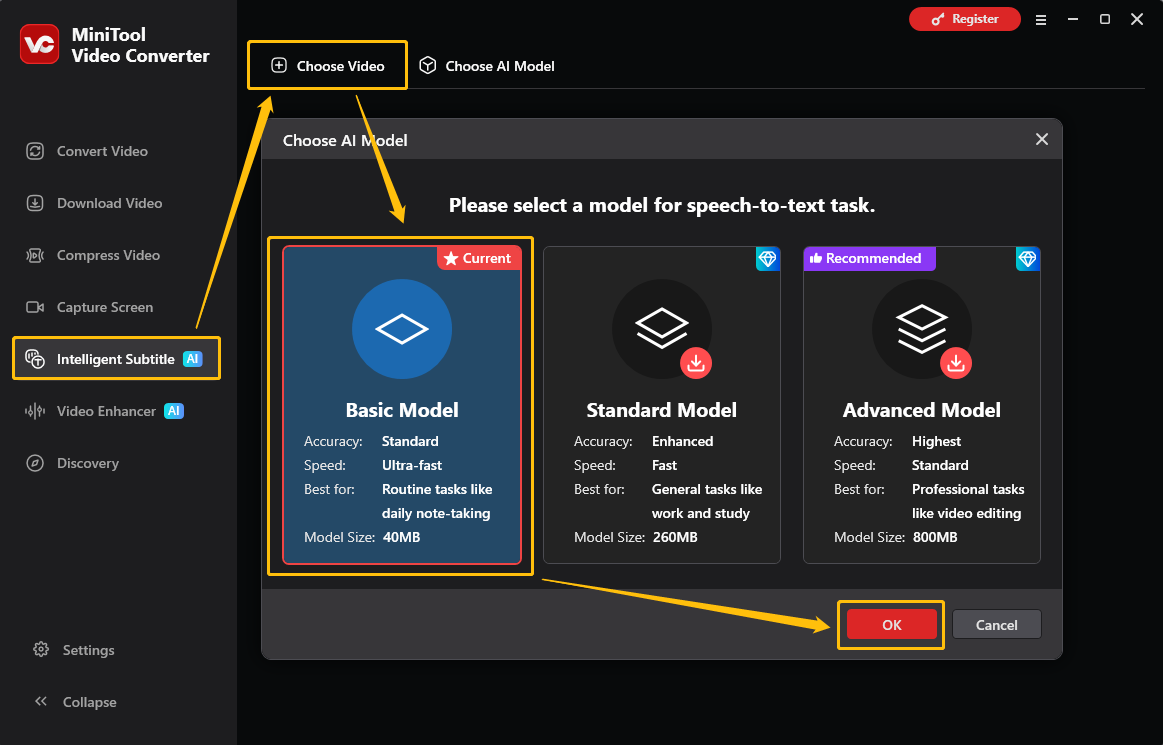
Then, in File Explorer, select the Korean video and click Open to import.
3. Export it in SRT or TXT.
The software automatically recognizes the language in the video and begins transcription. The transcribed text can then be viewed on the right side of the interface. I usually check the text and use the edit button to correct any errors.
Then, I expand the Export subtitle option and choose the output format (SRT or TXT).
Set the save location in the Output menu.
Next, click Export to save the transcript to the computer.
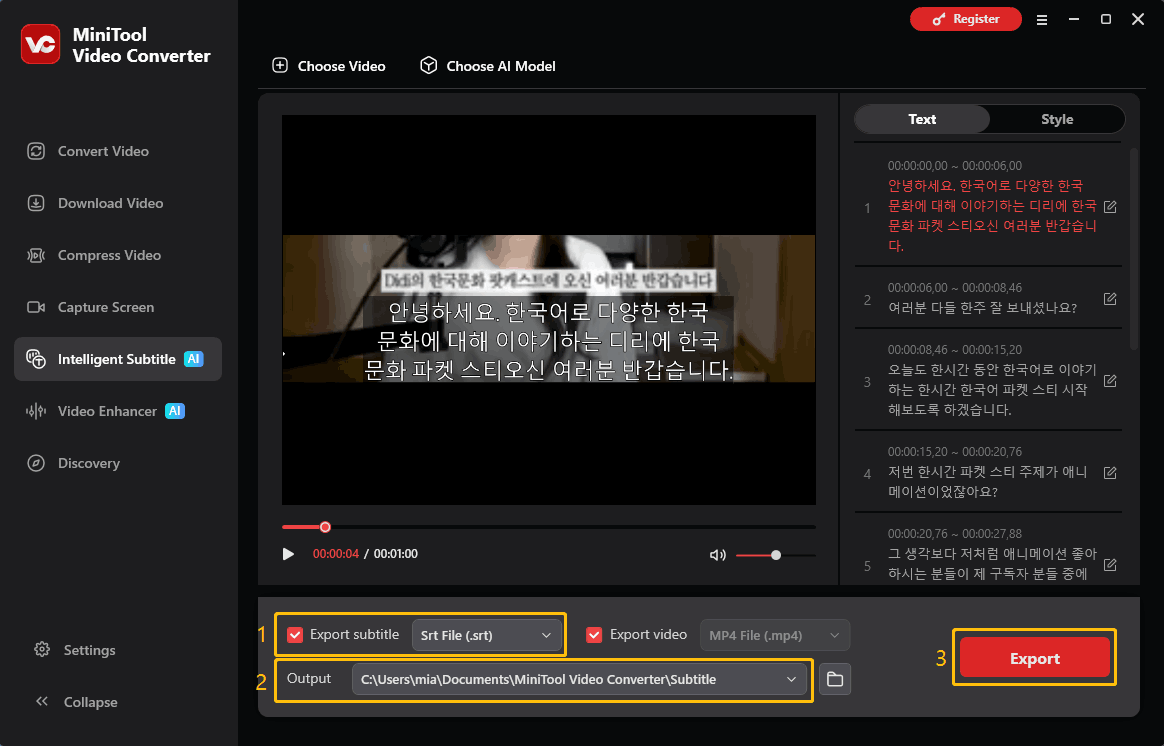
If you want to create subtitles for Korean videos that don't have subtitles, you can also set the font, style, size, position, etc. of the subtitles in the Style tab, and then check the Export video option to export.
Why Transcribe Korean Audio to Text?
- Improve Listening Skills
- Learn Vocabulary and Grammar
- Create Subtitles and Study Materials
- Strengthen Speaking and Pronunciation Skills
- Save and Organize Information
- Reuse the Content
Many people learn Korean by watching Korean speeches and podcasts. I’m obsessed with Korean dramas and movies, and want to improve my speaking and listening skills by watching them. Here are some advantages I found.
1. Improve Listening Skills: Transcription helps break down spoken language into easily understandable text. Some video speakers speak quickly or have accents, which is not very beginner-friendly. Converting unclear speech into text helps Korean learners review the transcript repeatedly until they fully understand the content.
2. Learn Vocabulary and Grammar: Transcripts highlight unfamiliar words, phrases, and sentence patterns used in real conversations. By learning these patterns in context, learners can understand how Korean grammar is used in real-life situations.
3. Create Subtitles and Study Materials: Transcription can generate subtitles for Korean videos, helping learners follow spoken content more easily and improving overall listening accuracy. Subtitles also allow learners to revisit specific parts without replaying the entire audio.
4. Strengthen Speaking and Pronunciation Skills: After obtaining the transcribed text, you can listen and read it simultaneously. This helps improve pronunciation awareness and helps learners imitate the natural intonation of Korean.
5. Save and Organize Information: Transcription turns spoken audio from meetings, interviews, or lectures into written text. This makes it easier to keep everything in one place and read it instead of replaying the audio again and again.
6. Reuse the Content: Audio-to-text conversion makes spoken content easier to reuse. The text can be used to create subtitles, short notes, or simple summaries.
Conclusion
Transcribing Korean speech to text is an effective way to make learning and content handling easier. With MiniTool Video Converter, users can quickly convert Korean audio or video into readable and editable text without complex steps.
For assistance with MiniTool Video Converter, contact support@minitool.com via email.
People Also Ask
About The Author

Position: Columnist
Cora is a tech writer specializing in digital media workflows, with over six years of hands-on experience in video post-production, media transcoding, and screen capture. Her writing is always clear and practical. Cora also produces in-depth software reviews for users across skill levels to help them find the right tool and enjoy video editing.
User Comments :