

How to Transcribe German Speech to Text
- Use MiniTool Video Converter.
- Use Clipchamp.
- Use Go Transcribe.
Method 1: Use MiniTool Video Converter
Fast steps:
- Download and open MiniTool Video Converter.
- Import the German audio or video.
- Review the transcript.
- Set the output format and location.
- Export the transcript.
MiniTool Video Converter features an AI-powered transcription tool that converts video and audio into text. It supports multiple languages, including German, English, Spanish, Hindi, Korean, Japanese, and more. Whether creating notes from audio recordings or generating subtitles for videos, it provides a convenient way to transcribe content.
 MiniTool Video Converter
-
 Batch convert video/audio files among 1000+ formats.
- Quickly compress videos for easy storage and transfer.
- Accurately extract subtitles from video/audio files.
- Effectively enhance video quality.
Here is how to use this video converter to transcribe German speech to text:
1. Download and open MiniTool Video Converter.
- Download and install the software on a Windows PC.
- Launch it and select AI Tools in the left menu.
2. Import the German audio or video.
- Choose Subtitle.
- Click Choose Video.
- Select a supported AI model and click OK if prompted.
- Choose the German audio or video file in File Explorer.
3. Review the transcript.
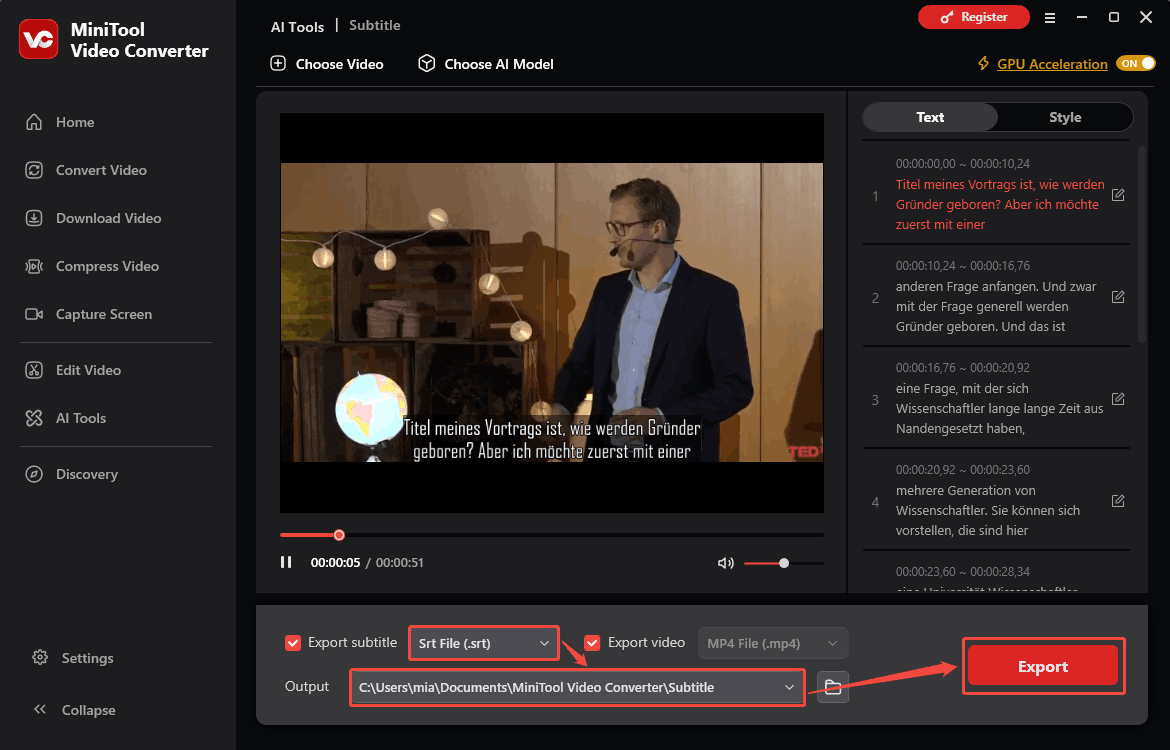
- Check the generated transcript in the right panel.
- Click the edit icon next to a sentence to make corrections.
- Click the check mark to save each change.
4. Set the output format and location.
- Expand the Export subtitle menu and select TXT or SRT as the output format.
- Open the Output menu and choose a folder to save the transcript.
5. Export the transcript.
Click the Export option to save the German speech transcript.
Method 2: Use Microsoft Clipchamp
Fast steps:
- Launch Clipchamp.
- Start a new project.
- Import the German speech video.
- Add the video to the timeline.
- Start transcription.
- Download the transcript.
Microsoft Clipchamp is a built-in video editor for Windows that can generate subtitles from German speech and export them as an SRT file. Follow these steps to transcribe German speech to text.
1. Launch Clipchamp.
Open your Start menu and find Clipchamp. Double-click to open this application.
2. Start a new project.
Click Create a new video to open the video editing interface.
3. Import the German speech video.
Click Import media to add the speech video.
4. Add the video to the timeline.
Drag the video from the My media area to the timeline.
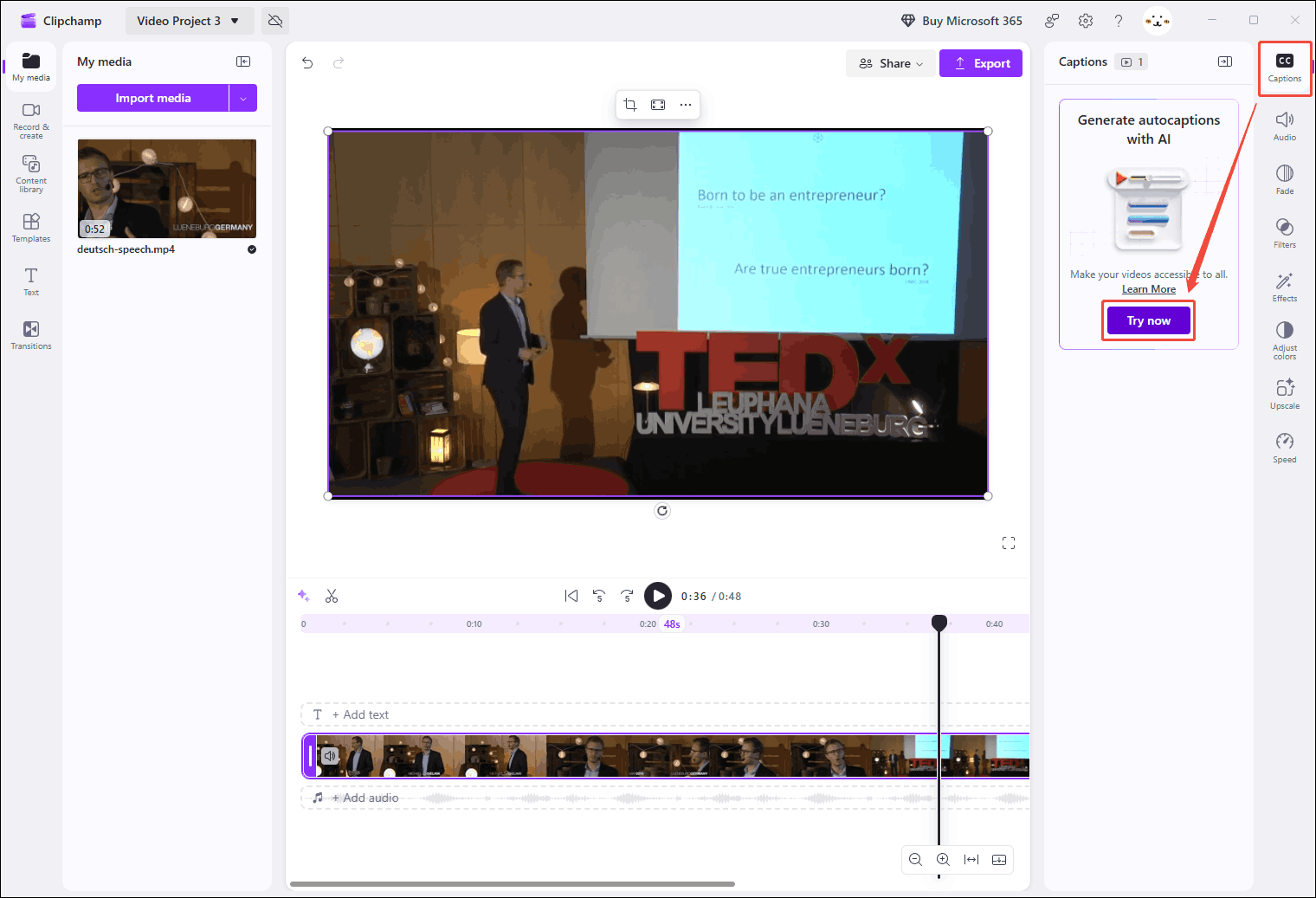
5. Start transcription.
- Click the Caption option in the right menu.
- Click Try now.
- Choose the video language as German in the pop-up window.
- Click Transcribe media.
6. Download the transcript.
Once the video transcription is complete, click Download captions (SRT).
Method 3: Use Go Transcribe
Fast steps:
- Access the Go Transcribe homepage.
- Upload the target file.
- Choose the transcription language.
- Start transcription.
- Check the transcript.
Go Transcribe is an AI-powered transcription service that converts speech audio into text. It offers custom vocabulary support, allowing users to add specific words, names, and technical terms before transcription. The tool prioritizes these terms during speech recognition to improve accuracy and produce more reliable transcripts.
Below is how to use Go Transcribe to convert German speech to text:
1. Access the Go Transcribe homepage.
Visit https://go-transcribe.com/ and log in.
2. Upload the target file.
Click the Upload option in the top menu. In the pop-up window, drag and drop the target file to the file uploading area. Then, select the file you uploaded.
3. Choose the transcription language.
In the Language section, choose the language used in the file.
4. Start transcription.
Click Upload and Transcribe in German.
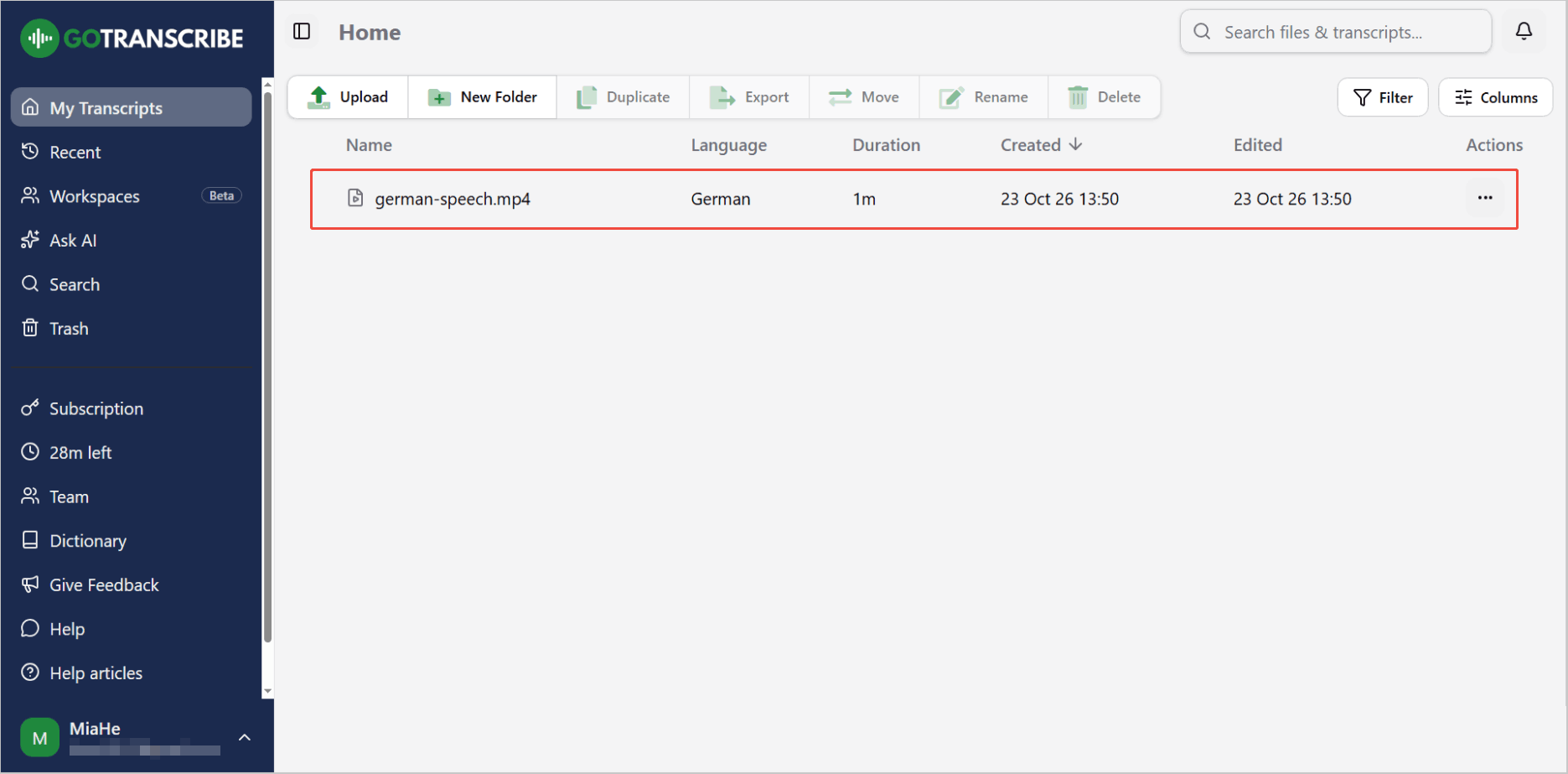
5. Check the transcript.
Click the completed transcript to check it.
Which Transcription Tool Should You Choose?
The three transcription tools offer different features and output options. Compare them in the table below to choose the one that best suits your needs.
| Platform | Output format | Editing transcript | Free Export | |
| MiniTool Video Converter | Windows | TXT, SRT | Yes | Yes |
| Clipchamp | Windows/Web | SRT | Yes | Yes |
| Go Transcribe | Web | Word, PDF, SRT, and VTT | Yes | No |
Tips for Improving German Speech Transcription Accuracy
- Use clear audio recordings: Minimize background noise and ensure the speaker's voice is loud and clear.
- Speak at an appropriate volume: Avoid speaking too quickly or too quietly. Position the recording device closer to the speaker to capture speech more clearly.
- Use a tool with custom vocabulary: Add names, technical terms, and uncommon German words if the tool supports this feature.
- Review the transcript manually: Replay unclear sections and correct misheard words, grammar, and punctuation before exporting the final text.
Conclusion
MiniTool Video Converter, Clipchamp, and Go Transcribe provide different ways to convert German speech to text. Choose MiniTool Video Converter for free TXT and SRT exports, Clipchamp for video subtitles, or Go Transcribe for multiple export formats.
If you have questions about MiniTool Video Converter, email support@minitool.com for support.
User Comments :