

Understanding ASF
ASF (Advanced Systems Format/Active Streaming Format) is a digital open-source video container format created by Microsoft. It is encoded with Windows Media codecs. Besides, ASF is primarily used for saving and opening content online.
ASF is very flexible and supports cross-platform use. It supports smooth playback on HTTP servers, HTML5 web pages, and local storage. ASF is also compatible with Windows Media Player, VLC Media Player, RealPlayer, and other media players.
Understanding SWF
SWF stands for Small Web Format, which is a multimedia container format developed by Adobe Systems. It was designed for Shockwave. It is small and contains animated vector graphics data. Additionally, SWF supports adding text data and bitmaps.
SWF is used for storing and transforming videos and audio that are based on interactive and animated web page content, such as games, banner ads, and animations. It applies to online streaming, particularly browser-based.
SWF is no longer supported or developed by Adobe. However, it remains compatible with many media players, including VLC Media Player, SWF File Player, and KMPlayer.
Reasons for Converting ASF to SWF
SWF is a container format for storing interactive multimedia and vector graphics. By converting ASF to SWF, users can apply interactive tutorials and online learning modules to older Adobe projects. In addition, SWF features a small file size. Converting ASF to SWF helps quickly save and share videos.
Best Methods to Convert ASF to SWF
Need an ASF to SWF converter? You should try these 2 converters below. They perform well in terms of conversion operation and conversion speed.
1. Use MiniTool Video Converter
Converting ASF to SWF, MiniTool Video Converter, a free video converter worth trying. It allows you to convert files between over 1,000 formats, which include conversions between MP4 to WebM, FLV to M2TS, MPEG to AIFF, and more. Also, MiniTool Video Converter enables you to convert videos to MPEG-4, like MOV to MPEG-4, Xvid to MPEG-4, VOB to MPEG-4, etc.
Moreover, MiniTool Video Converter also has a batch conversion function, which can convert up to 5 tasks at a time, improving your conversion efficiency. It prepares multiple advanced parameter settings for you, such as video frame rate, bitrate, resolution, encoder, audio sample rate, and channel.
For your user experience, MiniTool Video Converter doesn’t include built-in ads, size restrictions, or watermarks. You can use it without any bother or limits. Next, follow the steps below to complete the conversion from ASF to SWF using MiniTool Video Converter.
Step 1. Download and Install MiniTool Video Converter
Click on the download button below to download MiniTool Video Converter. Then, install it through the on-screen prompts.
MiniTool Video ConverterClick to Download100%Clean & Safe
Step 2. Import Your ASF Video
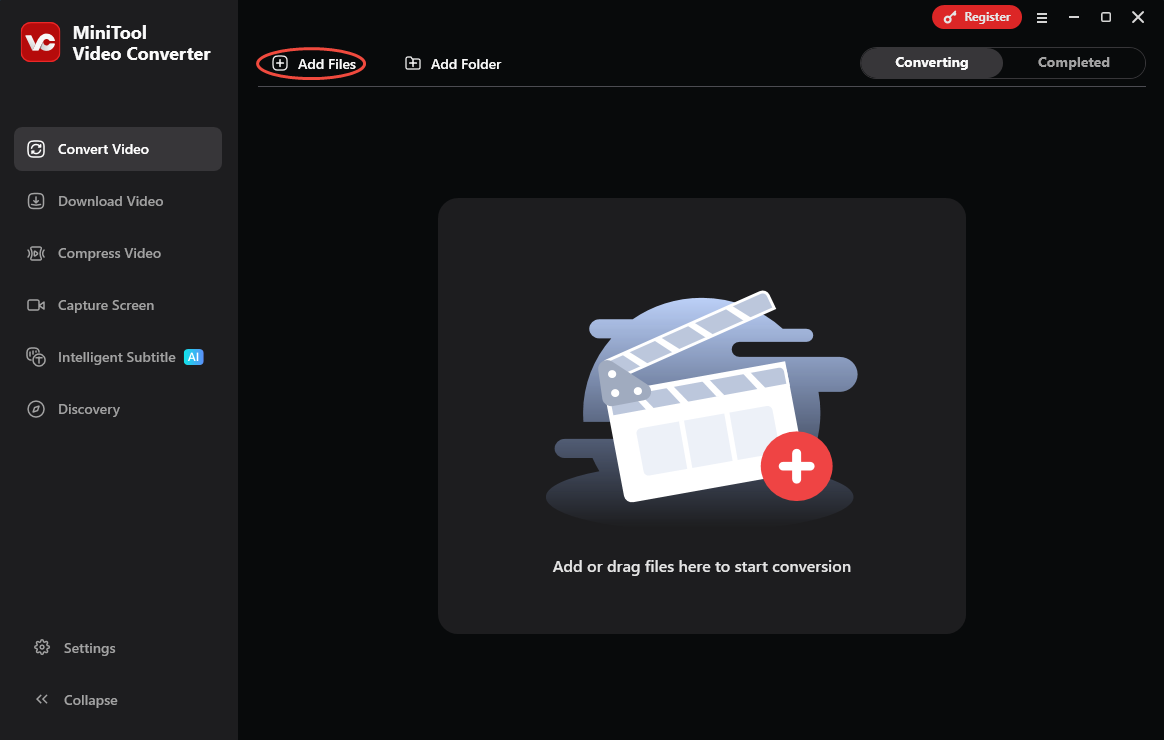
After installation, open MiniTool Video Converter. Click on the Add Files option to import the ASF video.
Step 3. Specify SWF as the Output Format
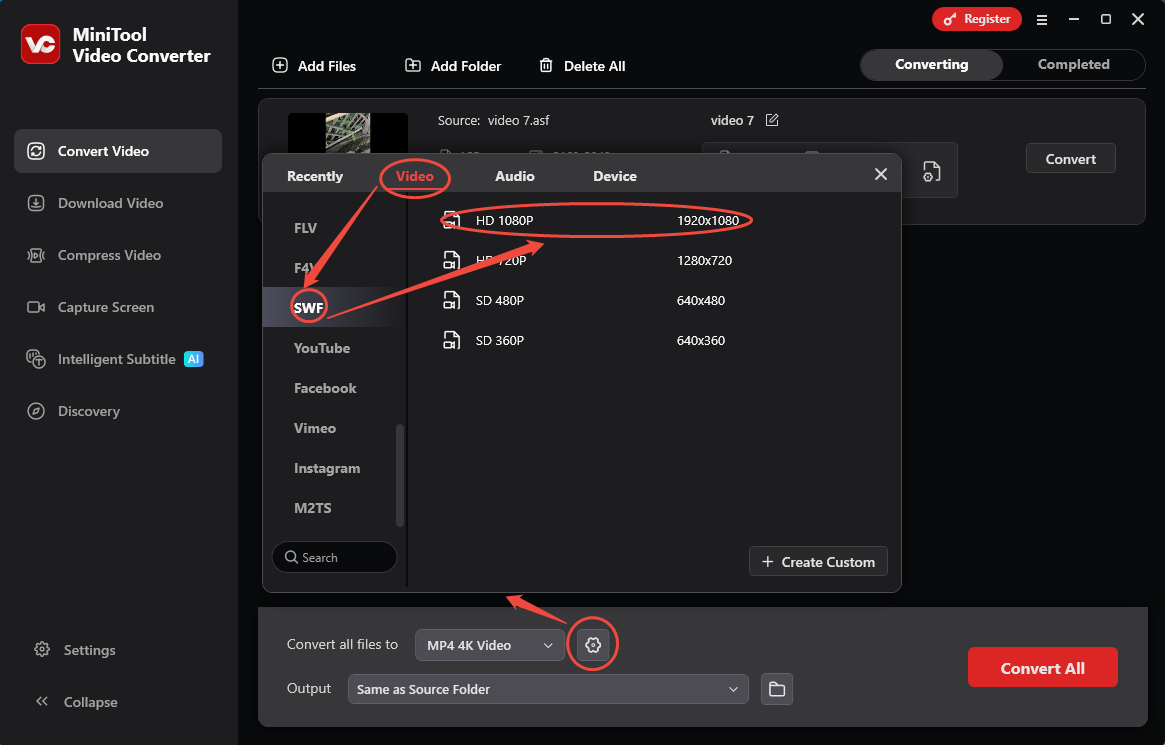
Click on the Gear icon to trigger the output format window. In this window, switch to the Video tab. There, click SWF and choose a video resolution. Here, I pick HD 1080P as an instance.
Step 4. Start the Conversion
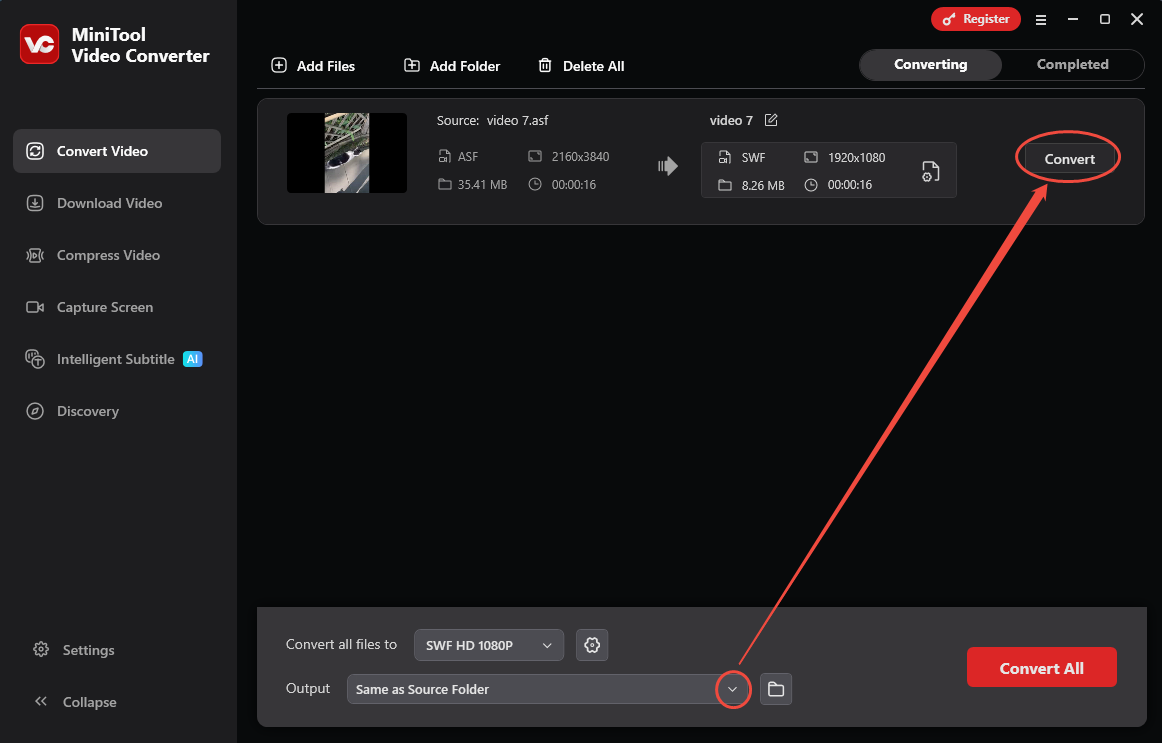
After setting the SWF format, expand the Output option in the Convert Video tab and select a storage location. Then, click on the Convert button to start the conversion.
Step 5. View the Converted Video
Once the conversion ends, this video converter will take you to the Completed tab. There, click on the Play icon to check if the converted video is fine. Or click on the Folder icon to locate this converted video on your PC.
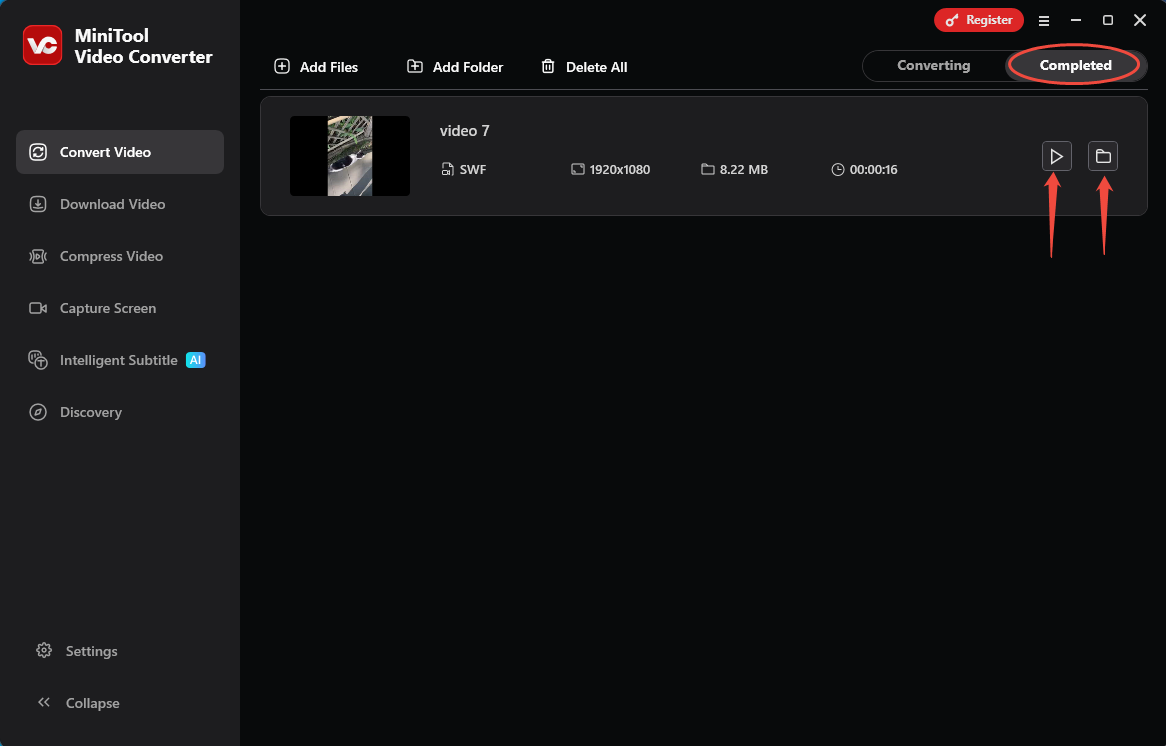
The steps above are how to efficiently complete the ASF to SWF conversion using MiniTool Video Converter, which is user-friendly even for beginners.
2. Use Clideo
Clideo is a practical online converter for ASF to SWF conversion. It supports converting various formats, including MKV, MOV, WMV, OGV, 3GP, and more. Plus, Clideo also empowers you to fine-tune additional settings for the converted videos, including frame rate, audio channel, and audio frequency. Let’s take a look at how to convert ASF to SWF with Clideo.
Step 1. Go to Clideo’s ASF to SWF Conversion Webpage
Visit https://clideo.com/editor?convertTo=SWF to enter Clideo’s ASF to SWF conversion webpage.
Step 2. Add ASF Video into Clideo
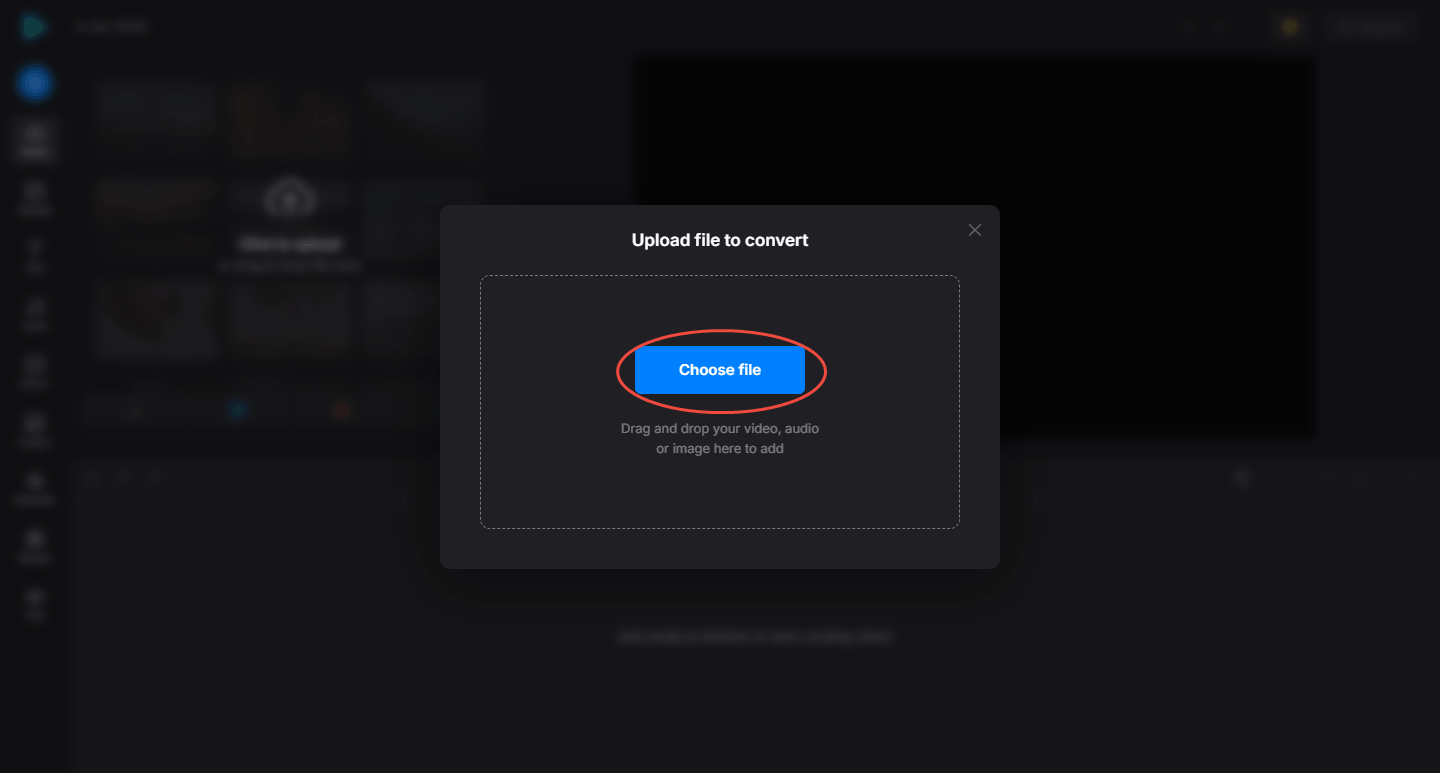
Click on the Choose File option to add the ASF Video.
Step 3. Begin the Conversion Process
After importing the ASF video, click on the Convert button to begin the conversion.

Step 4. Download the Converted Video
When the conversion completes, click on the Download button to store the converted video.
Clideo is an excellent browser-based video converter. You can use it to convert ASF to SWF instantly and easily.
Final Words
Converting ASF to SWF is a good choice to gain better compatibility with multimedia projects that require vector animation. This article helps you master 2 methods to process this conversion, which include using MiniTool Video Converter and Clideo.
User Comments :