

AVI vs AV1, what are their differences? This article focuses on 4 aspects to compare them. It also tells how to convert AVI to AV1 with 2 online video converters: Convertio and ConverterFactory.
AVI (Audio Video Interleave) is a video container format developed by Microsoft, while AV1 (AOMedia Video 1) is a popular and efficient video codec. Although they belong to different categories, they are often compared on various aspects.
AVI vs AV1: Core Differences
To compare AVI and AV1, I consider the following 4 aspects that make us learn their differences clearly.
1. Type
AVI is a multimedia container file format used for saving videos, audio, texts, and metadata. AV1 is a royalty-free and open-source video codec designed for online streaming. It is commonly packaged into various formats, such as MP4, WebM, and MKV.
2. Compatibility
AVI has broader compatibility than AV1. AVI is an older format that is compatible with nearly all players, browsers, and major media platforms. AV1 is a modern video codec that supports recent players, mobile phones, computer systems, and browsers. However, AV1 has limited support on many older devices.
3. File Size
AVI usually adopts the MPG-4 ASP video codec, whose compression capability is comparatively limited. Therefore, AVI’s longer videos may result in larger file sizes. Besides, AVI uses lossy compression, which may reduce video quality, but it won’t affect daily viewing. AV1 also utilizes lossy compression with a high compression efficiency without losing much video quality. So, compared to AVI, it can make files smaller than an AVI file at the same video quality.
4. Usage
AVI’s wide compatibility makes it easier for normal playback and basic editing with most players and editing software. AV1 is suitable for online video streaming, maintaining high video quality while saving much storage space.
Why Convert AVI to AV1
Based on the characteristics of AVI and AV1, converting AVI to AV1-encoded video is usually done to improve compatibility with modern players and browsers. It also aims to gain smaller file sizes and better video quality.
How to Convert AVI to AV1 Online
To complete AVI to AV1 conversion, there are 2 effective online methods I want to recommend to you.
Method 1. Use Convertio
Convertio is a browser-based video converter. It supports quickly and easily converting AVI to AV1. Apart from importing from the local folder, Convertio allows me to add files from Google Drive and Dropbox. However, it supports a limited file size for each conversion, not exceeding 100MB if I don’t log in to its website.
The following is a detailed guide on how to convert AVI to AV1 encoded video.
Step 1. Navigate to the AVI to AV1 Conversion Page
Copy and paste the URL: https://convertio.co/avi-av1/ into my browser search bar to enter Convertio’s AVI to AV1 conversion page.
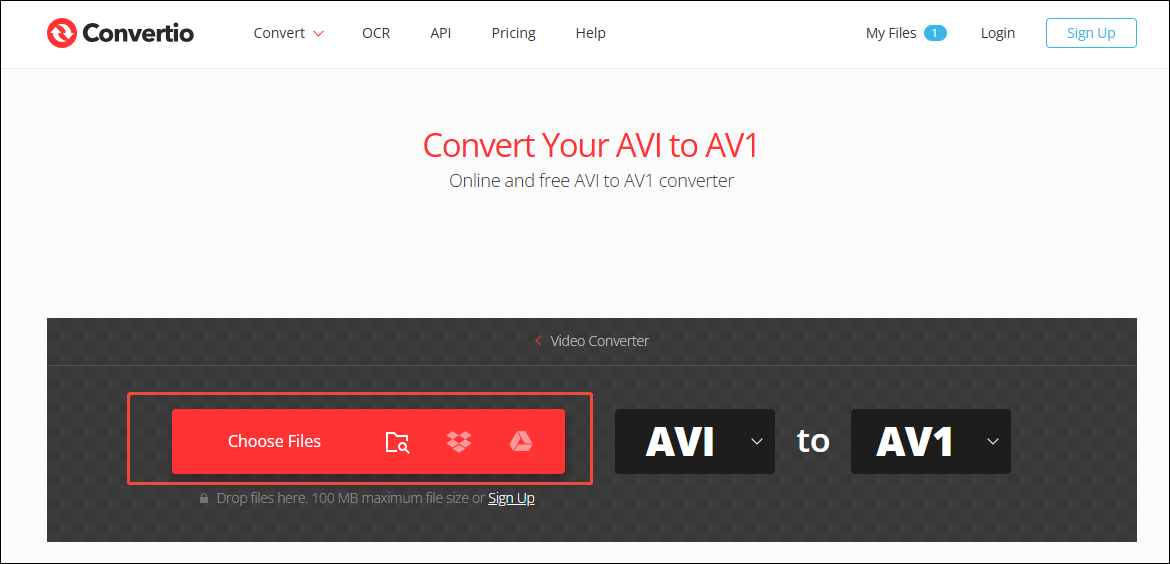
Step 2. Import AVI Video
To import the target AVI video, I click on the Choose Files option.
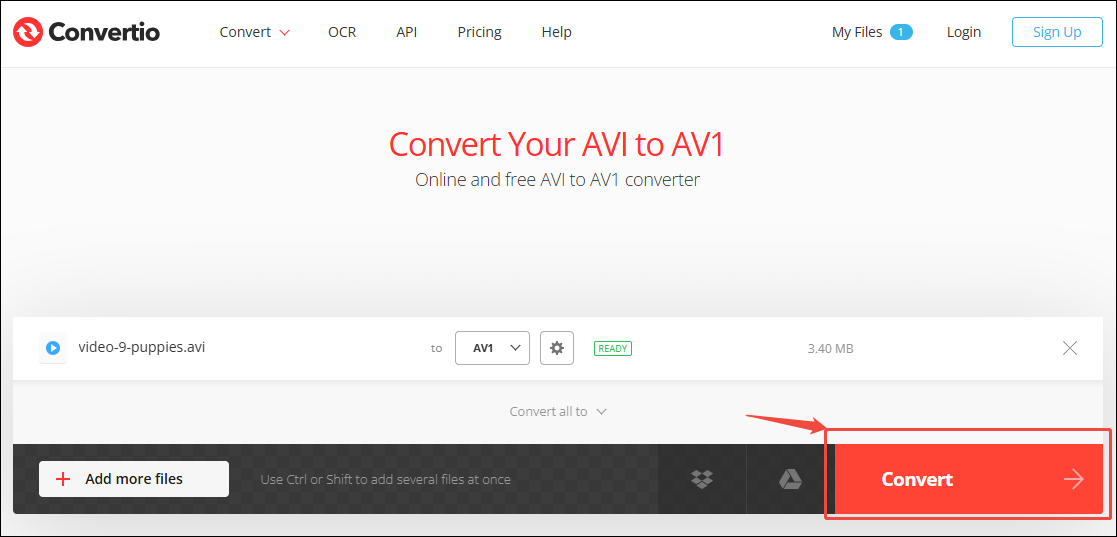
Step 3. Start the Conversion
After adding the AVI video, I click on the Convert button to start the conversion.
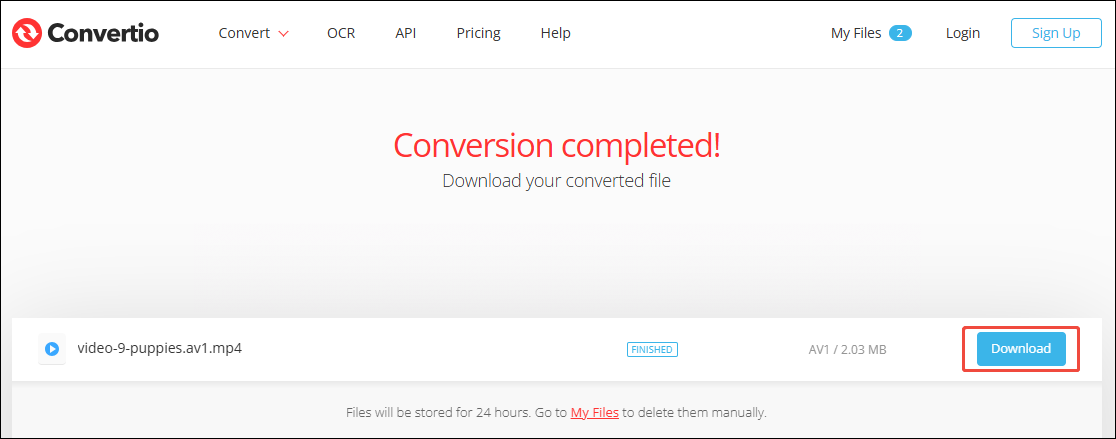
Step 4. Save the Converted Video
Once the conversion ends, the converted video will land on the download page. Here, I click on the Download button to save the converted video.
Using Convertio to convert AVI to AV1 is a can’t-miss method. It enables me to adjust advanced parameters for the converted videos.
Method 2. Use ConverterFactory
When I need to convert a larger AVI video file to an AV1 encoded video, I would use ConverterFactory. It is another practical online video converter that enables me to convert videos of up to 1 GB. Also, ConverterFactory allows me to convert video files for online social media platforms, such as YouTube, Facebook, Twitter, and TikTok.
Now, let’s try to convert AVI to AV1 with ConverterFactory with a few simple steps.
Step 1. Access to Converter Factory’s Webpage
Visit https://converterfactory.com/avi-to-av1 to go to the ConverterFactory’s webpage.
Step 2. Upload the AVI File
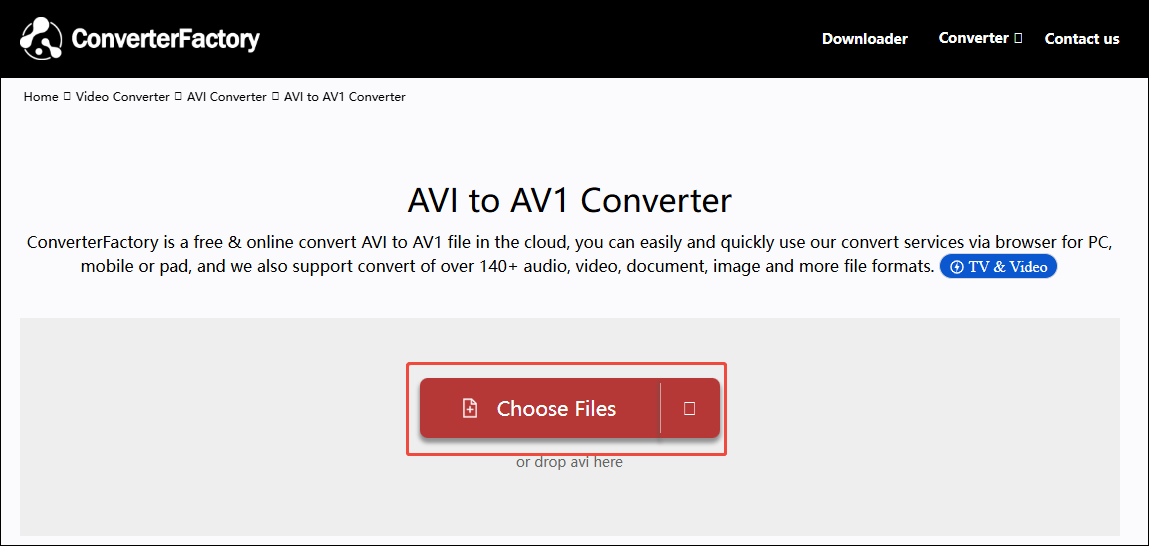
I click on the Choose Files option to upload the AVI file I have prepared on my computer.
Step 3. Begin Converting and Download the Converted Video
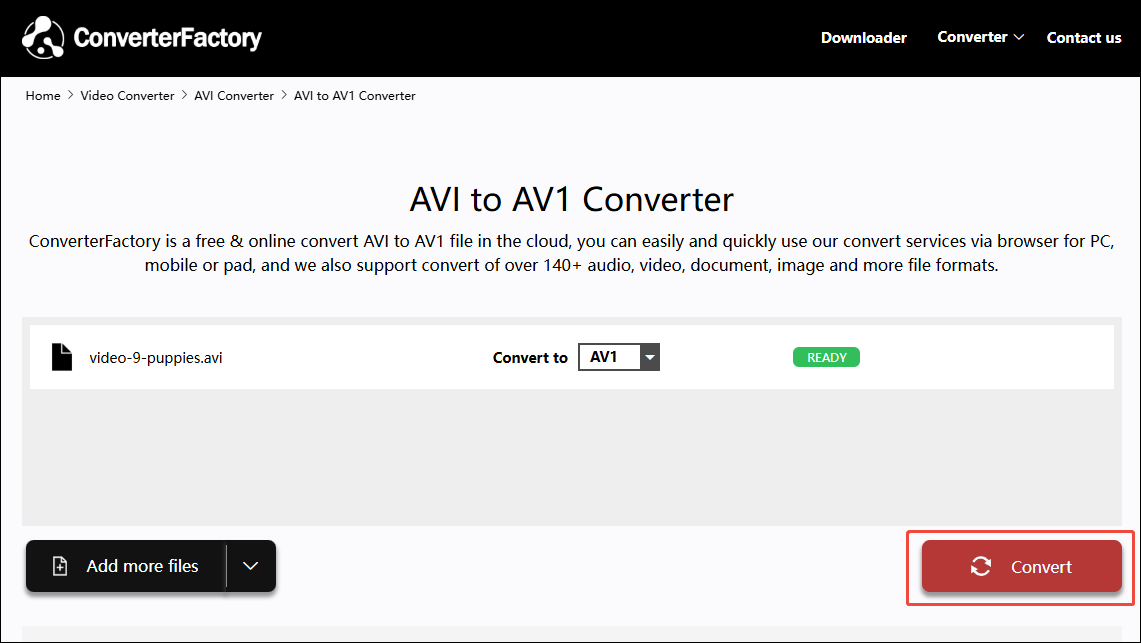
I click on the Convert button to begin converting. This step may need to wait a few seconds. When this conversion task finishes, the converter will take me to the download page. Here, I click on the Download button to save the converted video.
ConverterFactory makes it effortless to convert AVI to AV1. However, this converter requires a high network speed.
Bonus: How to Convert AVI to Other Formats Offline
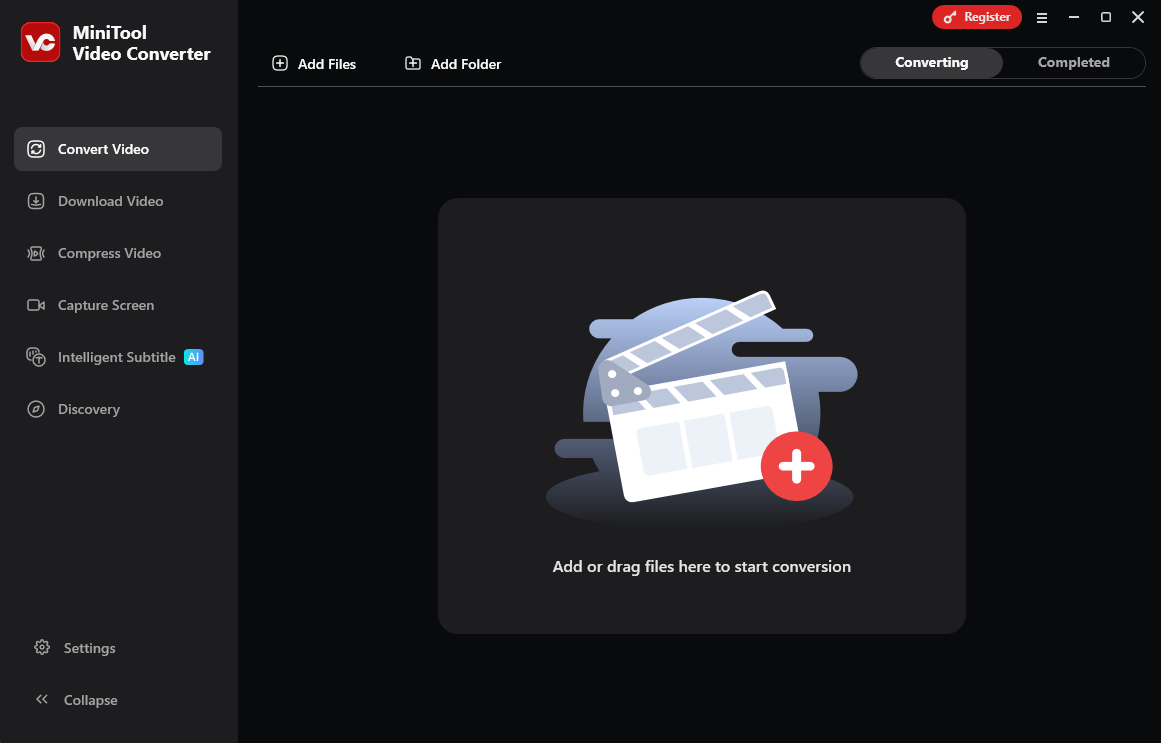
To convert AVI files to other formats, I tried another excellent video converter: MiniTool Video Converter. It’s a powerful offline converter without limitations on network speed. In addition, it doesn’t have ads, watermarks, or bundles.
I used MiniTool Video Converter to convert AVI to MOV, AVI to MKV, AVI to MP4, AVI to WebM, and more. It allows me to convert videos without file limits. Besides, MiniTool Video Converter also supports batch conversion. I once performed 5 conversion tasks simultaneously. Just click on the download button below to get it!
MiniTool Video ConverterClick to Download100%Clean & Safe
Bottom Line
AVI vs AV1, this post compares them in terms of type, compatibility, file size, and usage. It also shows how to convert AVI to AV1 with 2 efficient online video converters, including Convertio and ConverterFactory.
User Comments :