

Can Spotify Play WMA
Does Spotify support WMA? No, it doesn’t. Specifically, Spotify supports the audio formats, such as AAC, FLAC, MP3, M4A, and WAV. As such, if you want to listen to the WMA audio on Spotify, it is advisable to convert WMA to a Spotify-supported format like MP3.
Method 1. Use MiniTool Video Converter (Offline)
MiniTool Video Converter is one of the best applications that enables you to convert WMA for Spotify.
About MiniTool Video Converter
As a free audio/video converter, MiniTool Video Converter empowers you to convert WMA audio to various audio formats, such as MP3, M4A, AIFF, FLAC, etc., for free. In addition, this application supports batch conversion, allowing you to convert up to 5 WMA files simultaneously.
Unlike some online converters, MiniTool Video Converter never sets a file size limit for all users. Meanwhile, it provides you with a wide range of customizable options that allow you to customize the encoder, frame rate, bitrate, audio channel, sample rate, and more.
How to Convert WMA to MP3 with MiniTool Video Converter
Below is a detailed guide on how to get MP3 from WMA using MiniTool Video Converter.
Step 1. Download and install MiniTool Video Converter.
MiniTool Video ConverterClick to Download100%Clean & Safe
Click on the download button above to download and install MiniTool Video Converter on your computer.
Step 2. Upload the WMA files.
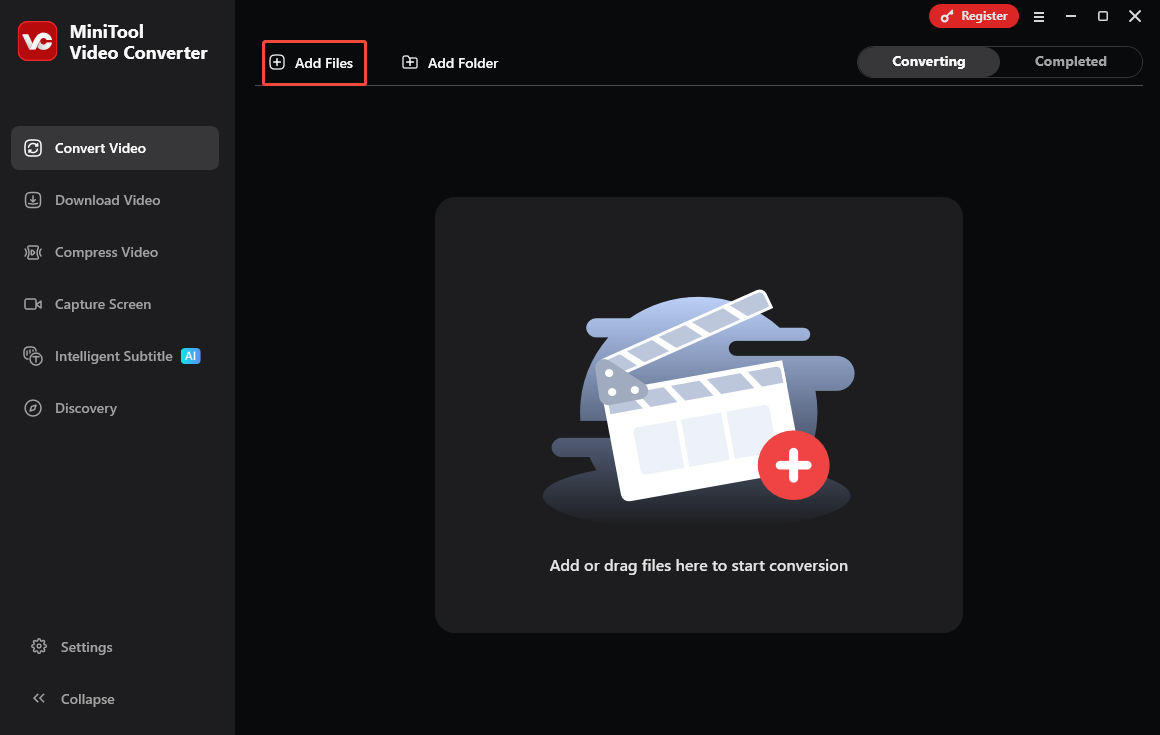
After launching MiniTool Video Converter, click on the upper-left Add Files option to import the WMA files that you want to play on Spotify.
Step 3. Set MP3 as the output format.
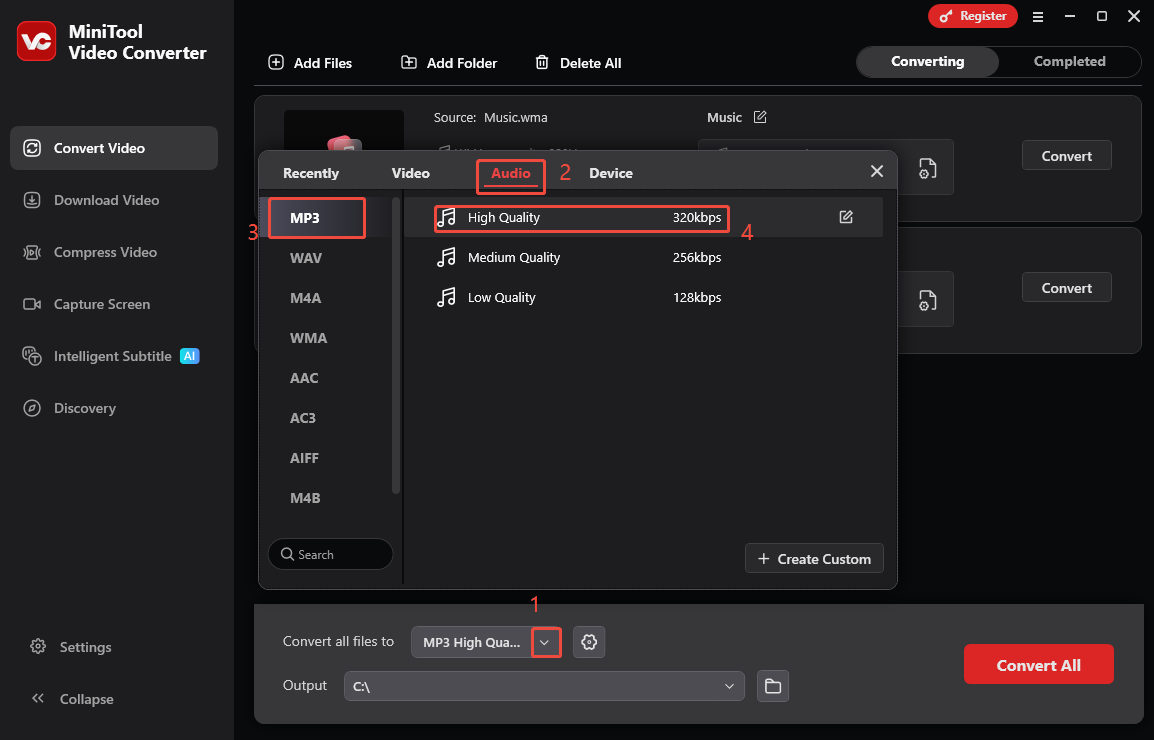
Expand the bottom Convert all files to option to enter the output format window. There, switch to the Audio tab and click on MP3. Next, choose the audio quality you want. Here, I select MP3 High Quality as an example.
Step 4. Choose a destination folder and start conversion.
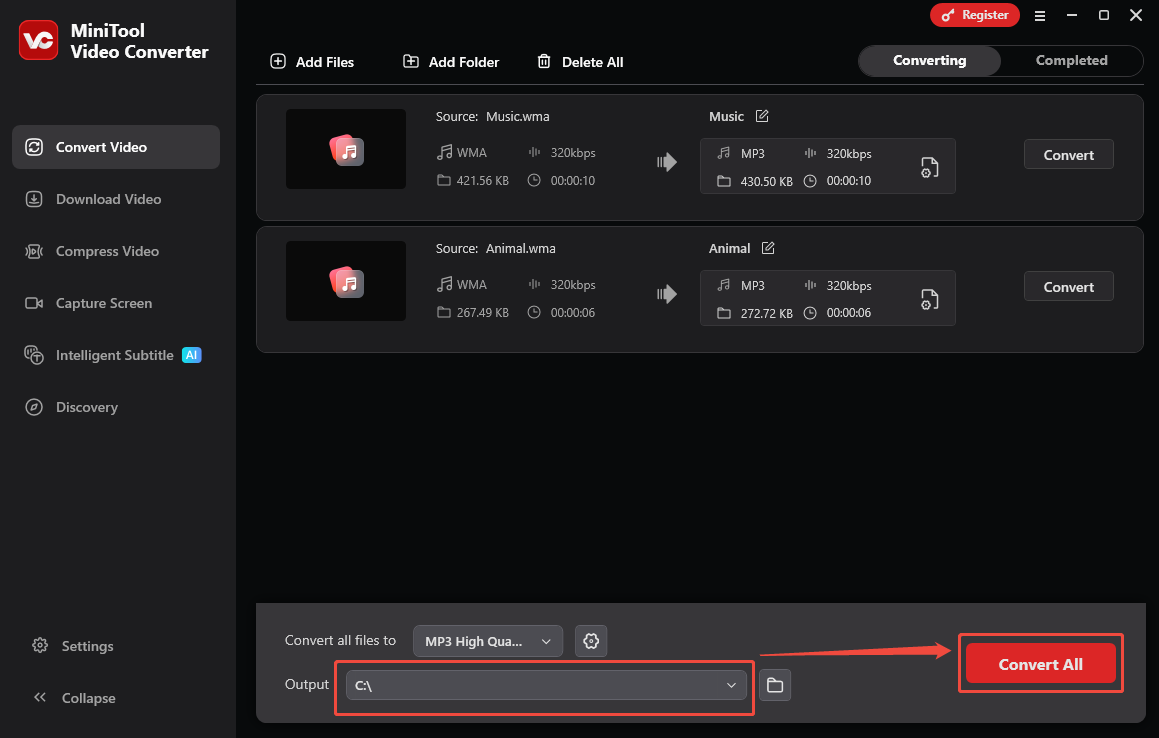
Expand the bottom Output option to choose a saving path for the converted files. Then, begin the conversion process by clicking on the bottom-right Convert All button.
Step 5. Check the output files.
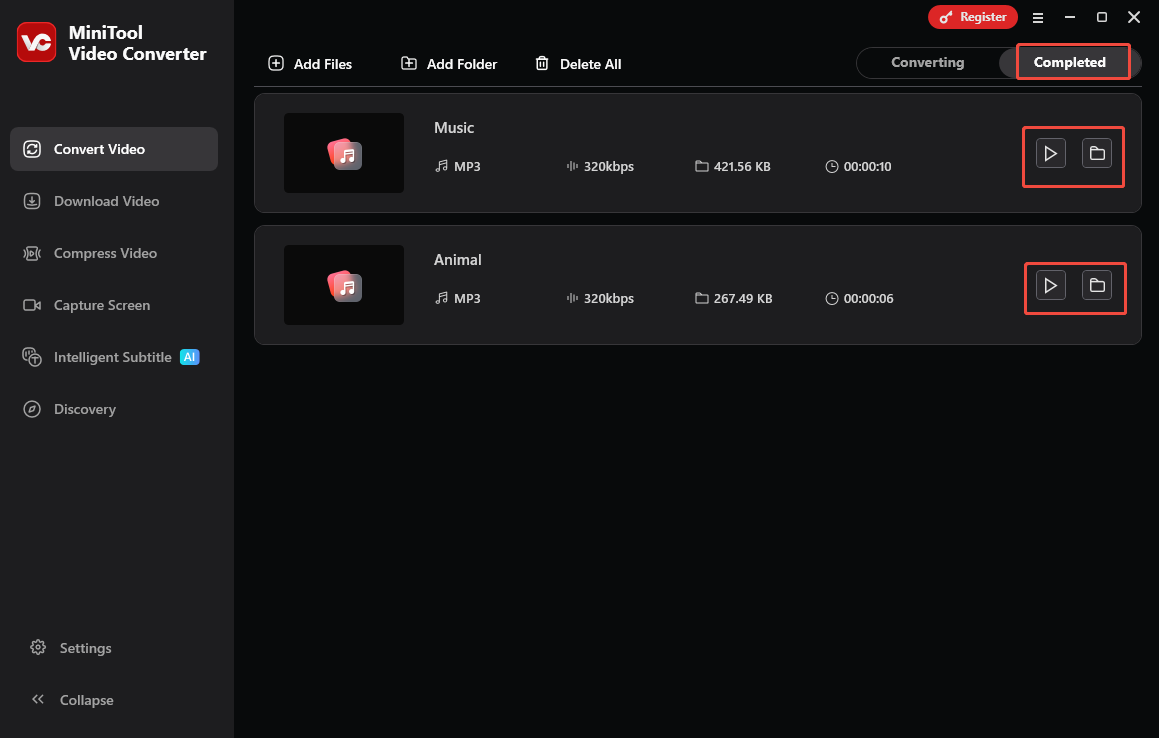
When the file conversion process completes, this Spotify music converter will automatically switch to the Completed section. There, click on the Play icon to view the output files. If you want to locate the converted files, click on the Folder icon.
Can Spotify play WMA? Although it can’t, MiniTool Video Converter helps you to convert WMA to MP3 effortlessly. This way, you can enjoy your audio files without hassle. Moreover, MiniTool Video Converter is also a one-stop solution for video compression and video/audio to text conversion.
Method 2. Use Convertio (Online)
Some of you may want to convert WMA for Spotify without downloading extra software. To meet your needs, I highly recommend Convertio. It is a top-grade web-based converter with an intuitive, clean interface. Convertio allows you to convert WMA to multiple formats, such as MP3, AAC, AC3, FLAC, and so on.
More importantly, Convertio allows you to import the WMA files from different sources, including Google Drive, Dropbox, and your computer. Below is an in-depth guide on how to convert WMA to MP3 with Convertio.
Step 1. Go to the WMA to MP3 Converter page of Convertio.
Visit https://convertio.co/wma-mp3/.
Step 2. Upload the WMA files.
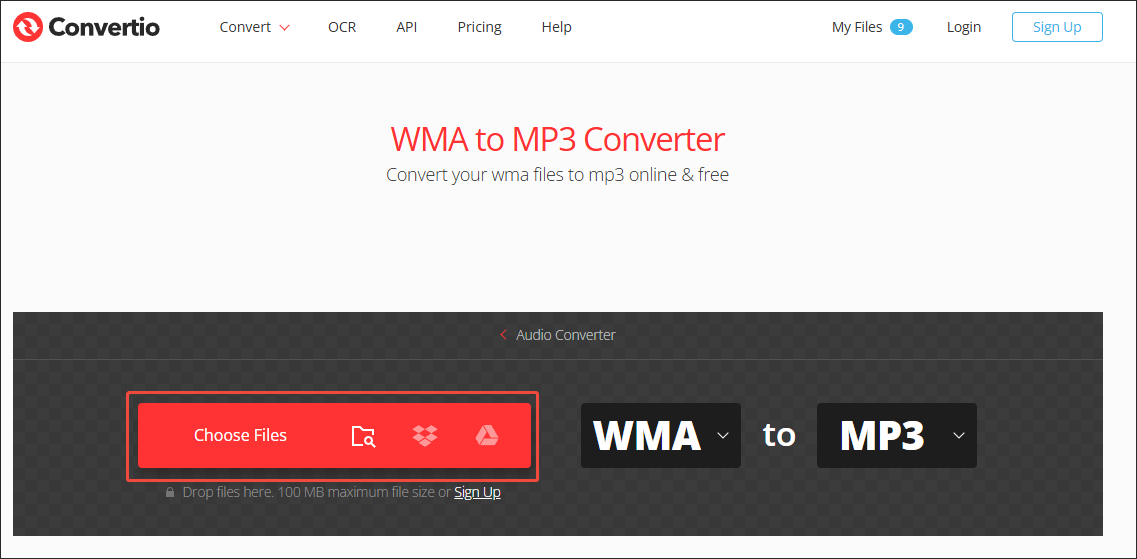
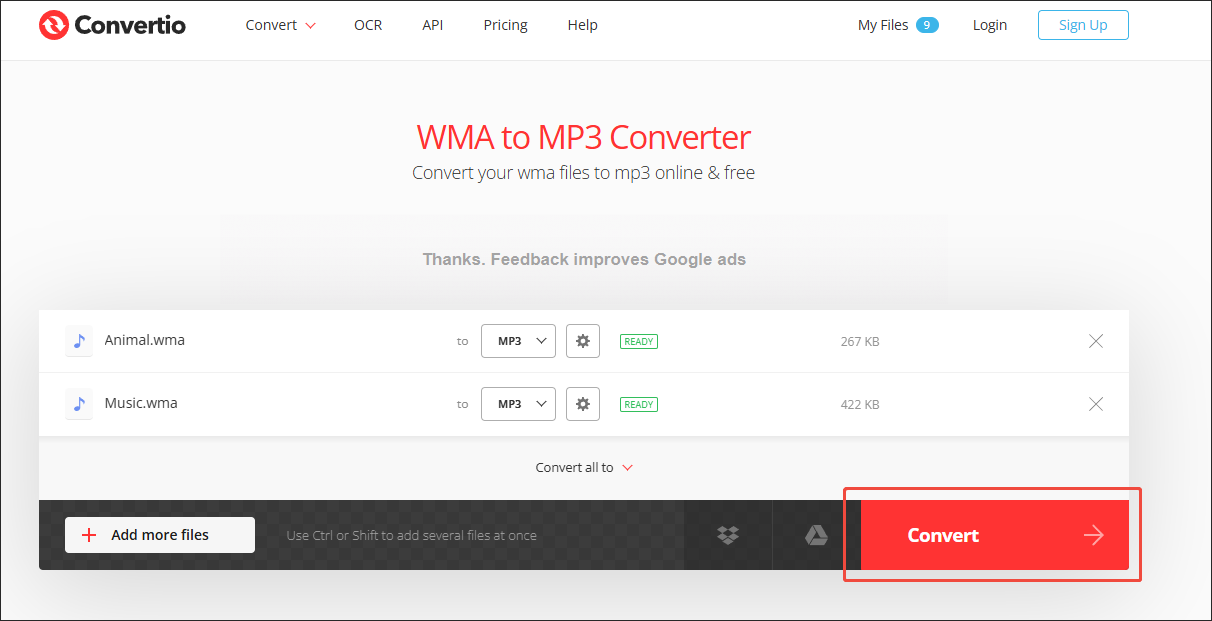
Click on the Choose Files option to import the WMA files that you want to play on Spotify.
Step 3. Configure the conversion settings.
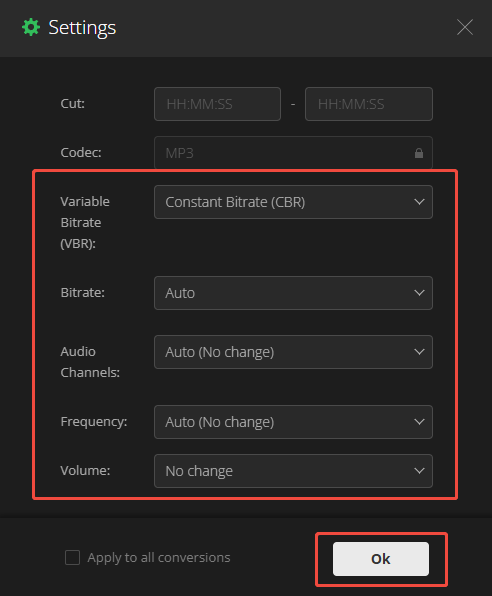
Click on the Settings icon to enter the Settings window. There, you can customize the audio frequency, audio channel, audio bitrate, and volume based on your needs. Finally, click on the Ok button to save the changes.
Step 4. Begin conversion and check the output files.
Click on the Convert button to begin the conversion process. When the file conversion process ends, download and check the output files.
Undoubtedly, Convertio is a great tool that helps you solve the problem that Spotify won’t play WMA. However, it has a 100MB file size limit for free users, which may be limited for people who need to convert multiple large WMA files.
Method 3. Use FreeConvert (Online)
FreeConvert is another online WMA to MP3 converter with a higher file size limit (1 GB). It enables you to upload your files from more sources, including Google Drive, OneDrive, Dropbox, your computer, and more. Meanwhile, FreeConvert is very easy to use, allowing beginners to accomplish their conversion tasks with simple clicks.
Below are the detailed instructions on how to convert WMA to MP3 using the FreeConvert.
Step 1. Visit the WMA to MP3 Converter page of FreeConvert.
Go to https://www.freeconvert.com/wma-to-mp3.
Step 2. Upload the WMA files.
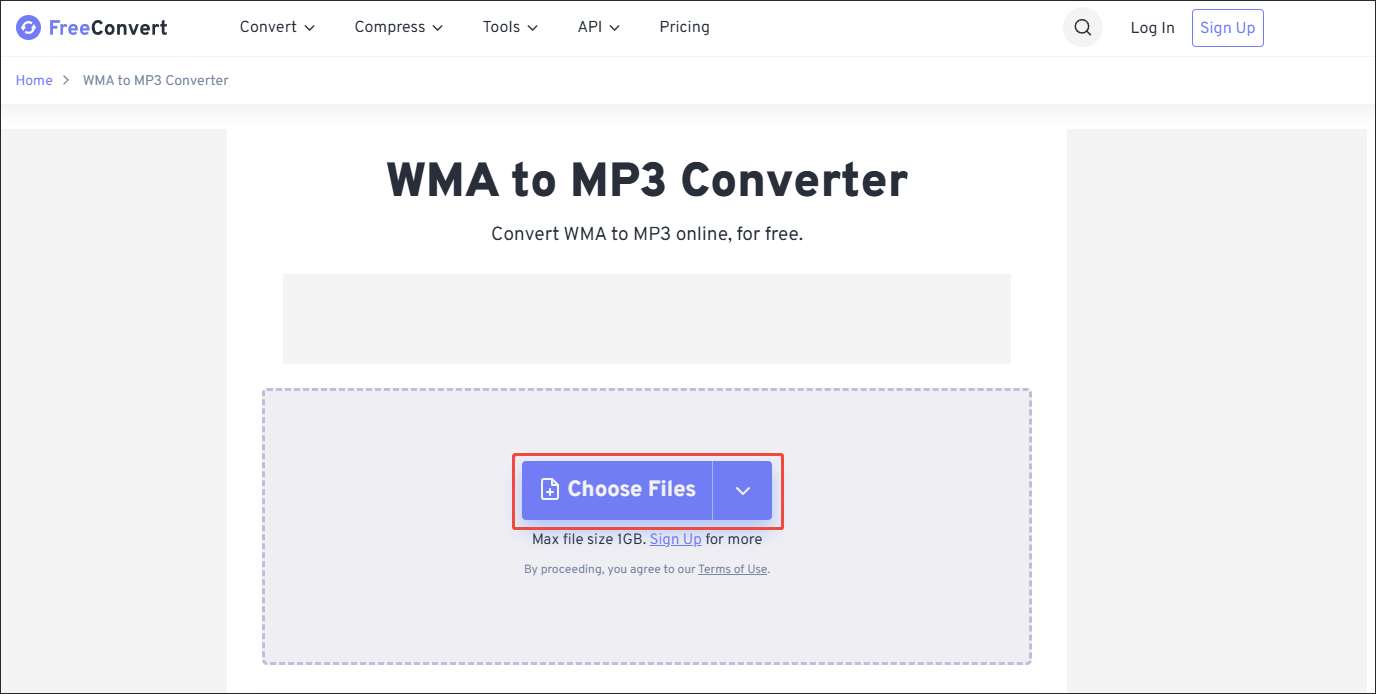
Click on the Choose Files option to import the WMA files that you want to convert.
Step 3. Start conversion and check the output files.
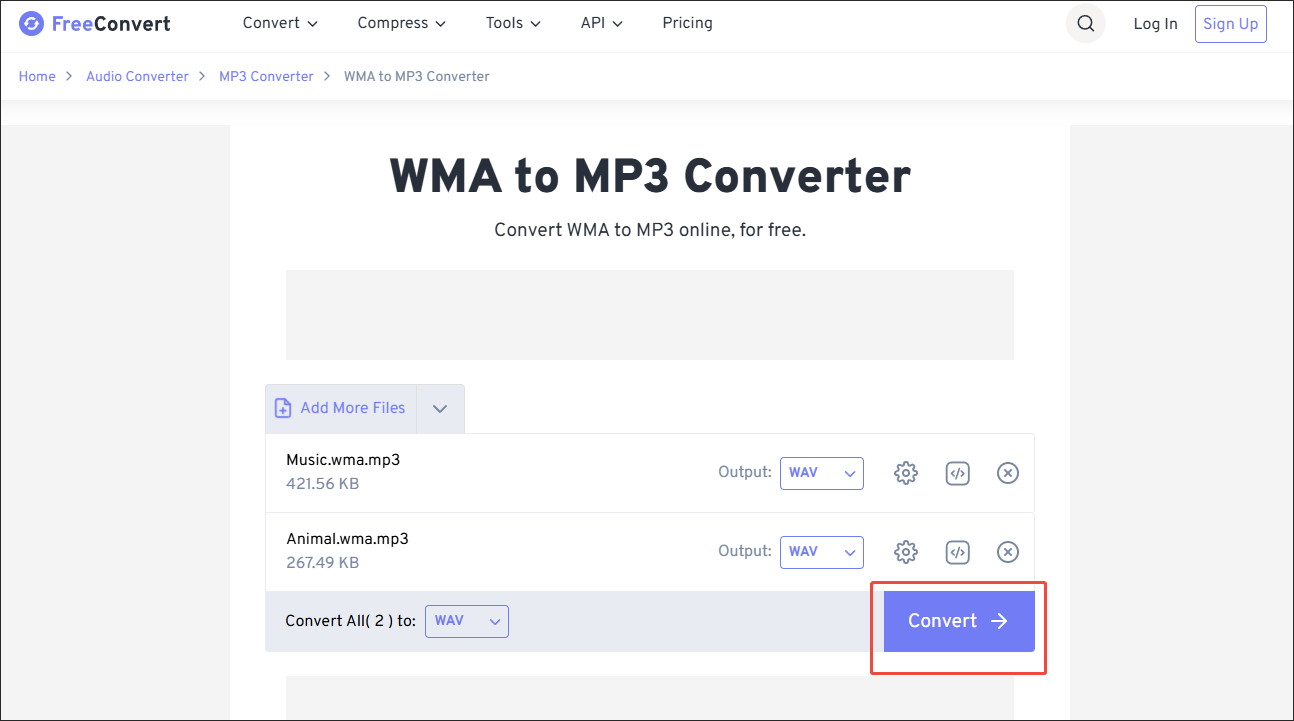
Click on the Convert button to begin the conversion process. When the file conversion process finishes, download and check the output files.
Can Spotify play WMA files? The answer is negative. Fortunately, FreeConvert enables you to convert many WMA files to MP3 effortlessly.
Bottom Line
Can Spotify play WMA audio? No, it can’t. To enjoy the audio content on Spotify, you can use MiniTool Video Converter (Offline, no file size limit), Convertio (Online, 100MB file size limit), or FreeConvert (Online, 1GB file size limit) to convert the WMA files to MP3.
User Comments :