

This article walks you through the reasons for getting OGG from FLV. Meanwhile, it shows you how to convert FLV to OGG and vice versa with 3 powerful converters, including MiniTool Video Converter, Convertio, and FreeConvert.
Why Convert FLV to OGG
Because OGG applies efficient compression, extracting OGG audio from your FLV videos gives you a smaller file size. Using the Vorbis codec, OGG offers you better audio quality than MP3 does. Hence, such a conversion task is suitable for those who want to create in-game sound effects with an FLV video.

How to Convert FLV to OGG Offline
If you want to convert FLV offline, never miss MiniTool Video Converter. It supports batch conversion and allows you to convert up to 5 FLV videos to various formats simultaneously. As a free video converter, MiniTool Video Converter also features an intuitive interface and doesn’t set a file size limit for users.
Below is a detailed guide on how to convert FLV to OGG with MiniTool Video Converter.
Step 1. Download and Install MiniTool Video Converter
MiniTool Video ConverterClick to Download100%Clean & Safe
Click on the download button above to download and install MiniTool Video Converter on your PC.
Step 2. Import the FLV Videos
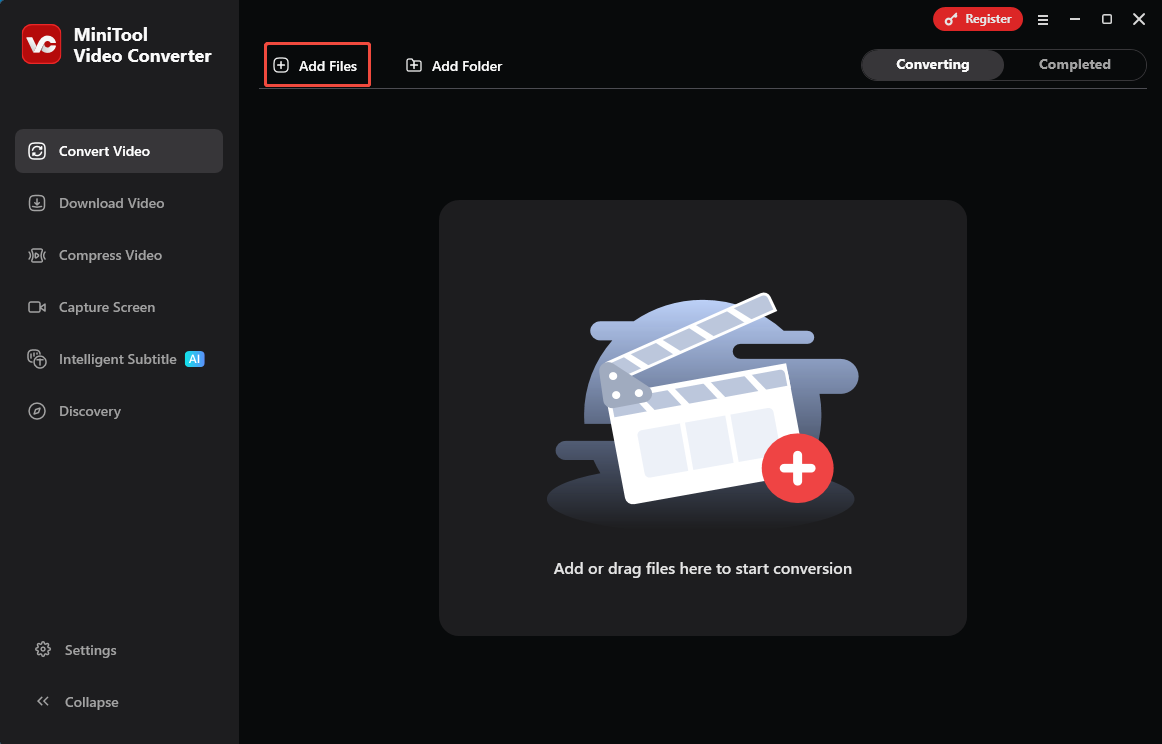
After launching MiniTool Video Converter, click on the upper-left Add Files option to upload the FLV files that you want to convert
Step 3. Set OGG as the Output Format
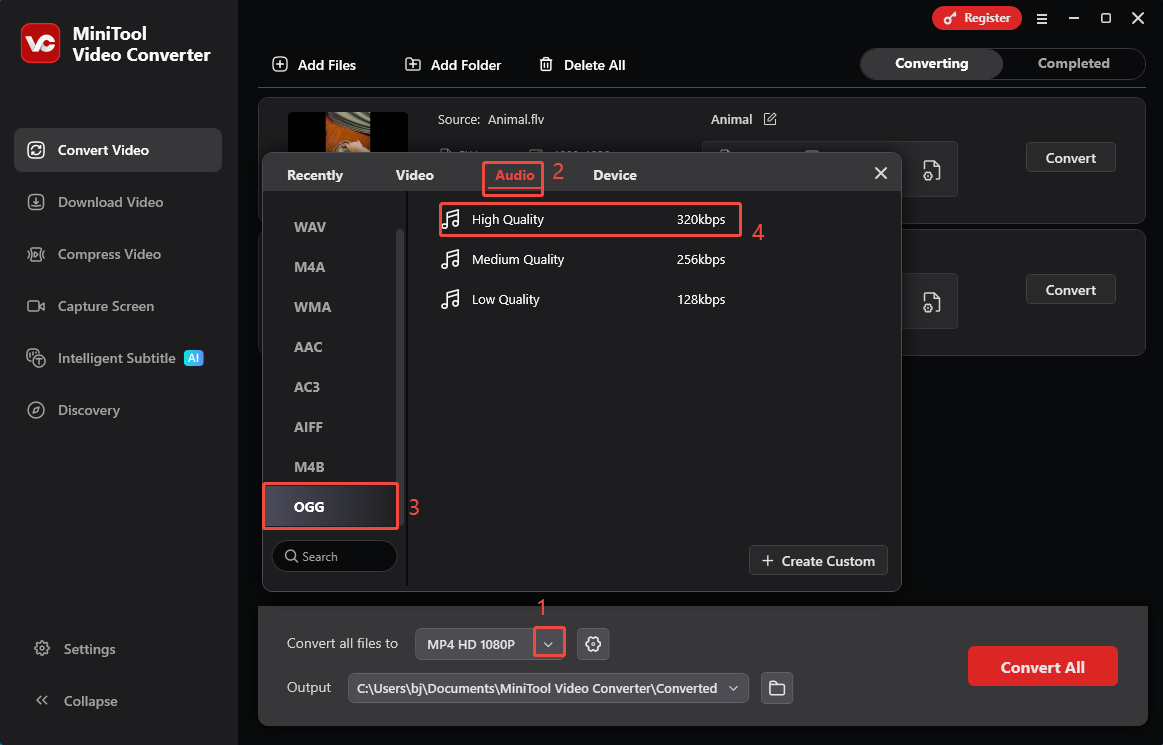
Expand the bottom Convert all files to option to enter the output format window. There, navigate to the Audio tab and click on OGG. Then, choose the audio quality you prefer. Here, I select High Quality as an example.
Step 4. Set an Output Folder and Start Conversion
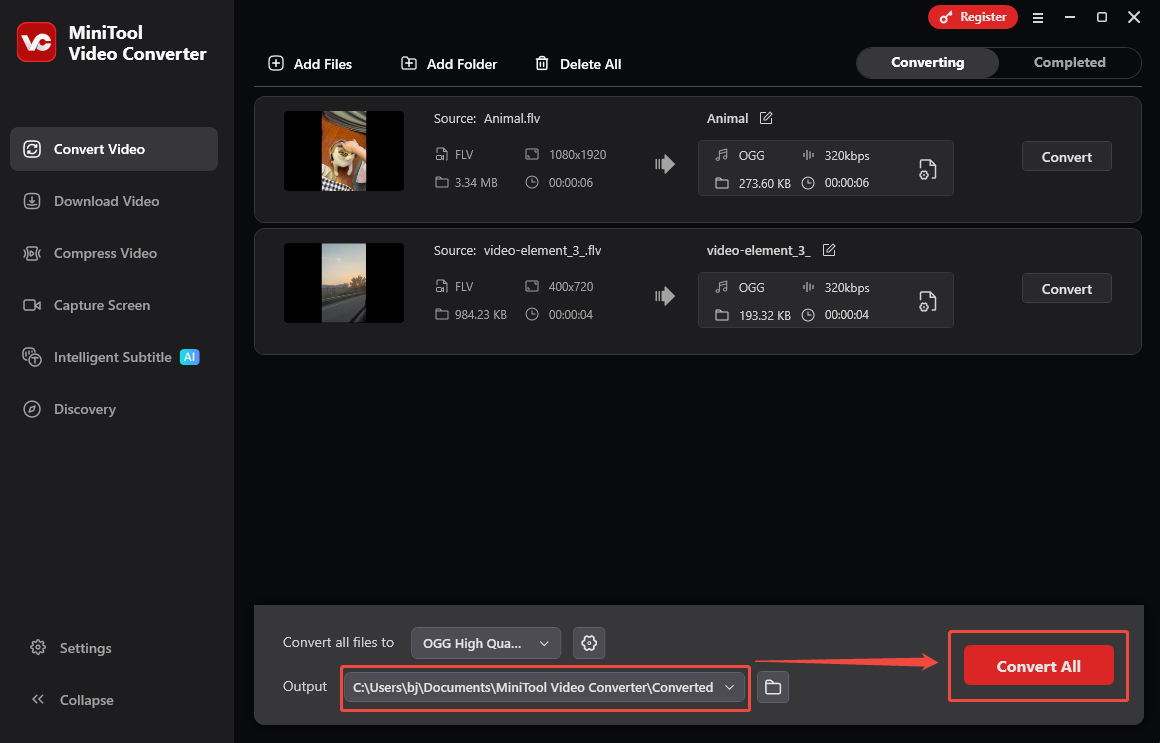
Expand the bottom Output option to choose a saving path for the converted files. Next, click on the bottom-right Convert All button to start the conversion process.
Step 5. Check the Output Files
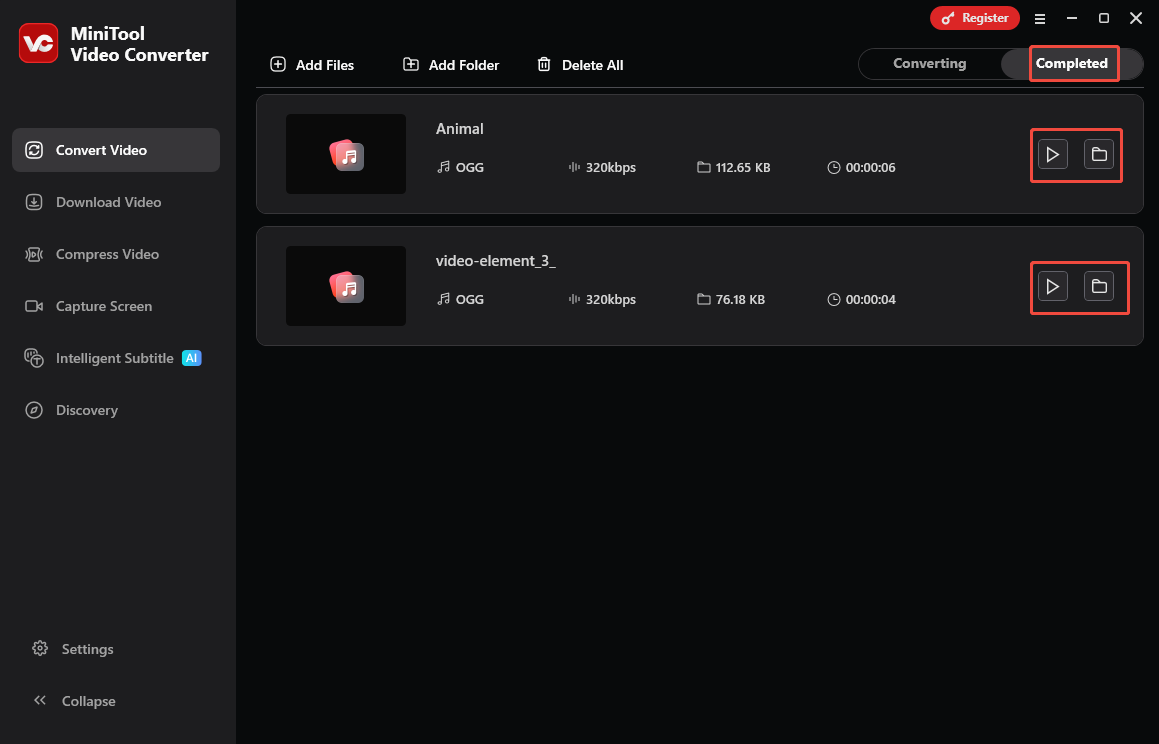
When the file conversion process completes, this converter will automatically switch to the Completed section. There, click on the Play icon to view the output files. If you want to locate the output files, click on the Folder icon.
By the way, MiniTool Video Converter is also an OGG to FLV converter. It also helps you transcribe or compress video/audio files.
How to Convert FLV to OGG Online
If you want to get OGG from FLV without downloading extra software, try Convertio. It is a robust web-based converter that enables you to convert FLV to OGG, MP3, WAV, AAC, GIF, and other formats. Meanwhile, Convertio allows you to upload your FLV files from multiple sources, including Google Drive, Dropbox, and your computer.
Below are the detailed steps to extract OGG audio from an FLV video using Convertio.
Step 1. Go to the FLV to OGG Converter Page of Convertio
Visit https://convertio.co/flv-ogg/.
Step 2. Import the FLV Video
Click on the Choose Files option to import the FLV file that you want to convert.
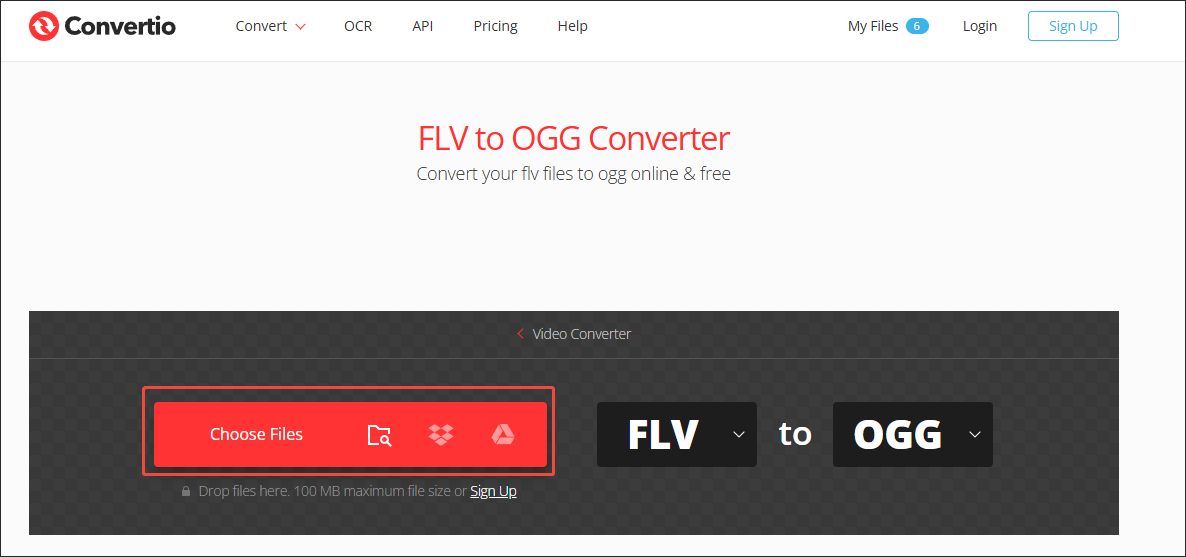
Step 3. Configure the Conversion Settings
Click on the Settings icon to enter the Settings window. There, you can cut the output audio. Meanwhile, it is feasible to customize the audio codec, audio channels, frequency, and volume. Finally, click on the bottom-right Ok button to apply the conversion settings.
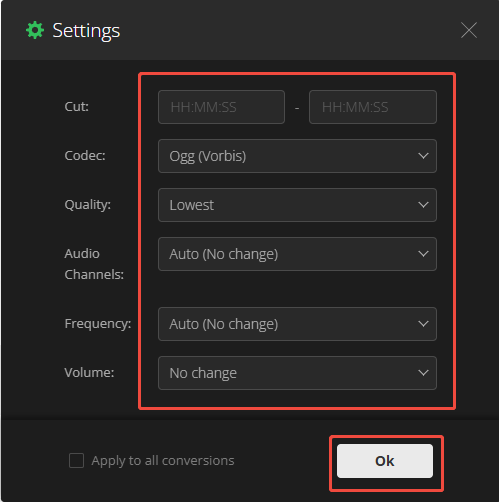
Step 4. Start Conversion and Check the Output Files
Click on the Convert button to begin the conversion process. When the file conversion completes, download and check the converted file.
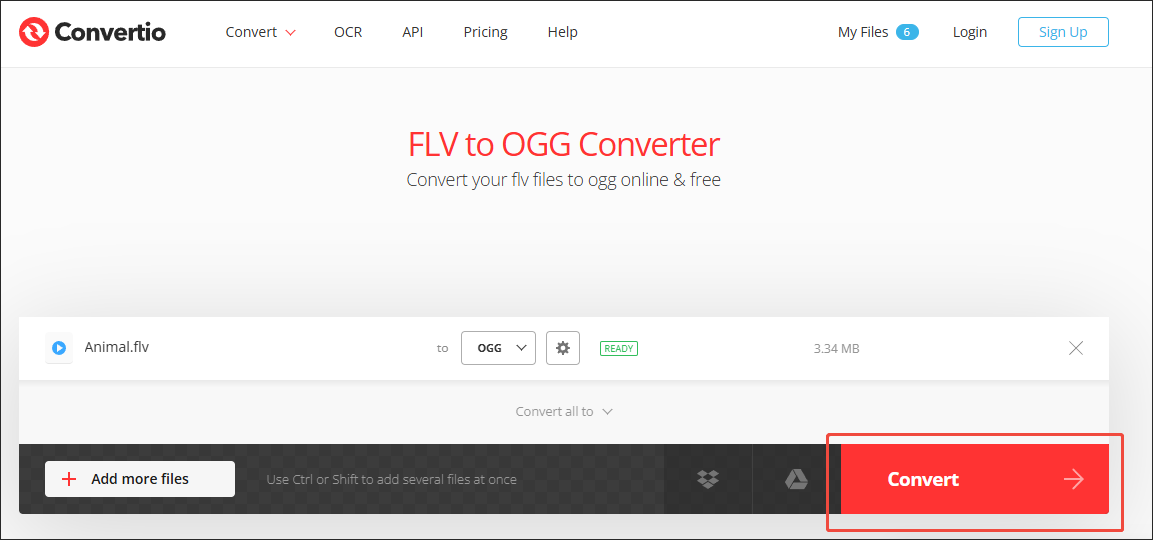
As you can see, Convertio is an easy-to-use online converter. However, it has a 100MB file size limit for free users.
How to Convert OGG to FLV
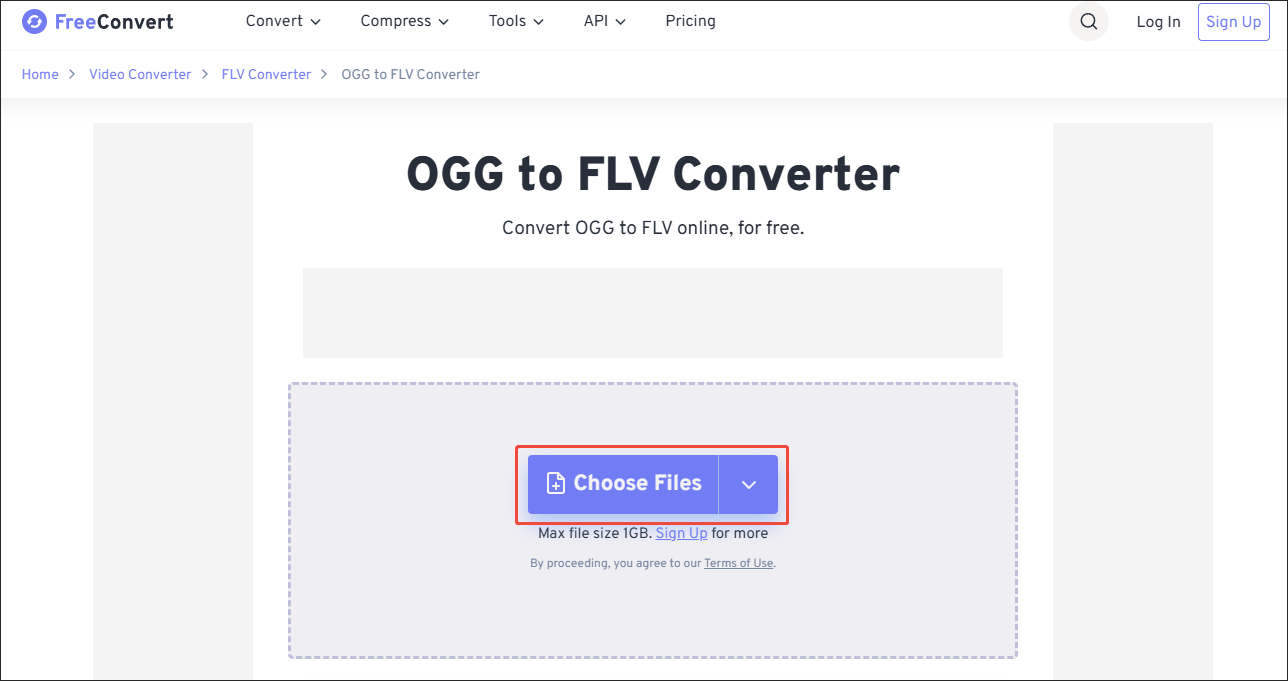
In addition to MiniTool Video Converter, FreeConvert, as an online converter, also enables you to convert OGG to FLV with simple clicks. It has a higher file size limit (1 GB) than Convertio. Below are the detailed instructions on how to convert FLV to OGG using Convertio.
Step 1. Go to the OGG to FLV Converter Page of FreeConvert
Visit https://www.freeconvert.com/ogg-to-flv.
Step 2. Upload the OGG File
Click on the Choose Files option to import the OGG file.
Step 3. Start Conversion and Check the Output File
Begin the conversion process by clicking on the Convert button. When the file conversion process completes, download and check the output files.
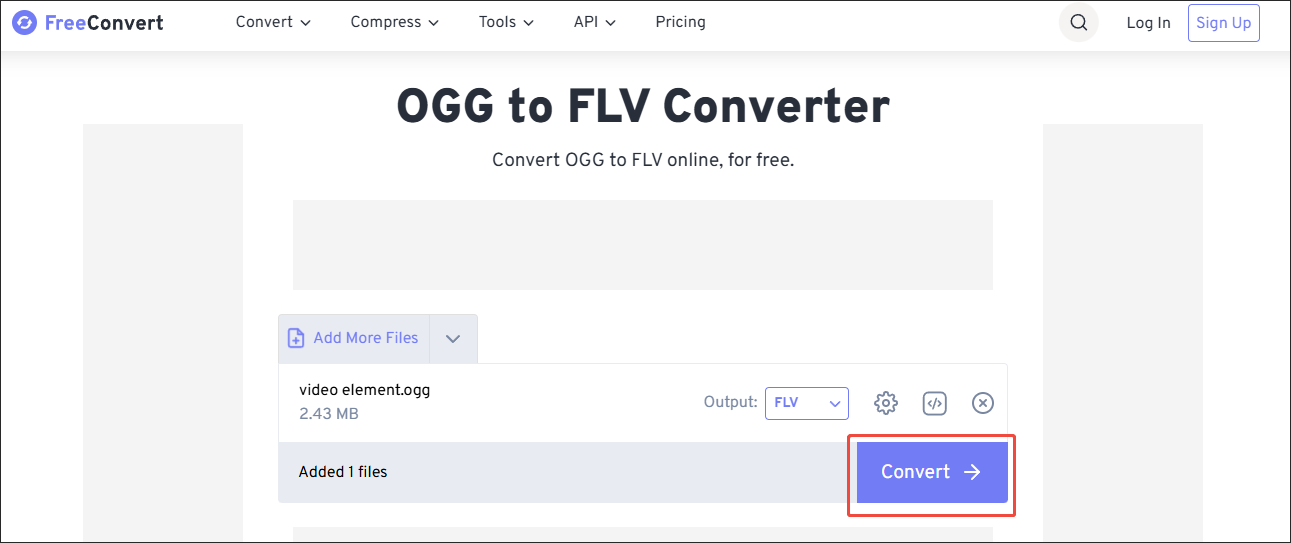
Undoubtedly, FreeConvert is a can’t-miss online converter.
Bonus: How to Edit Your FLV Videos
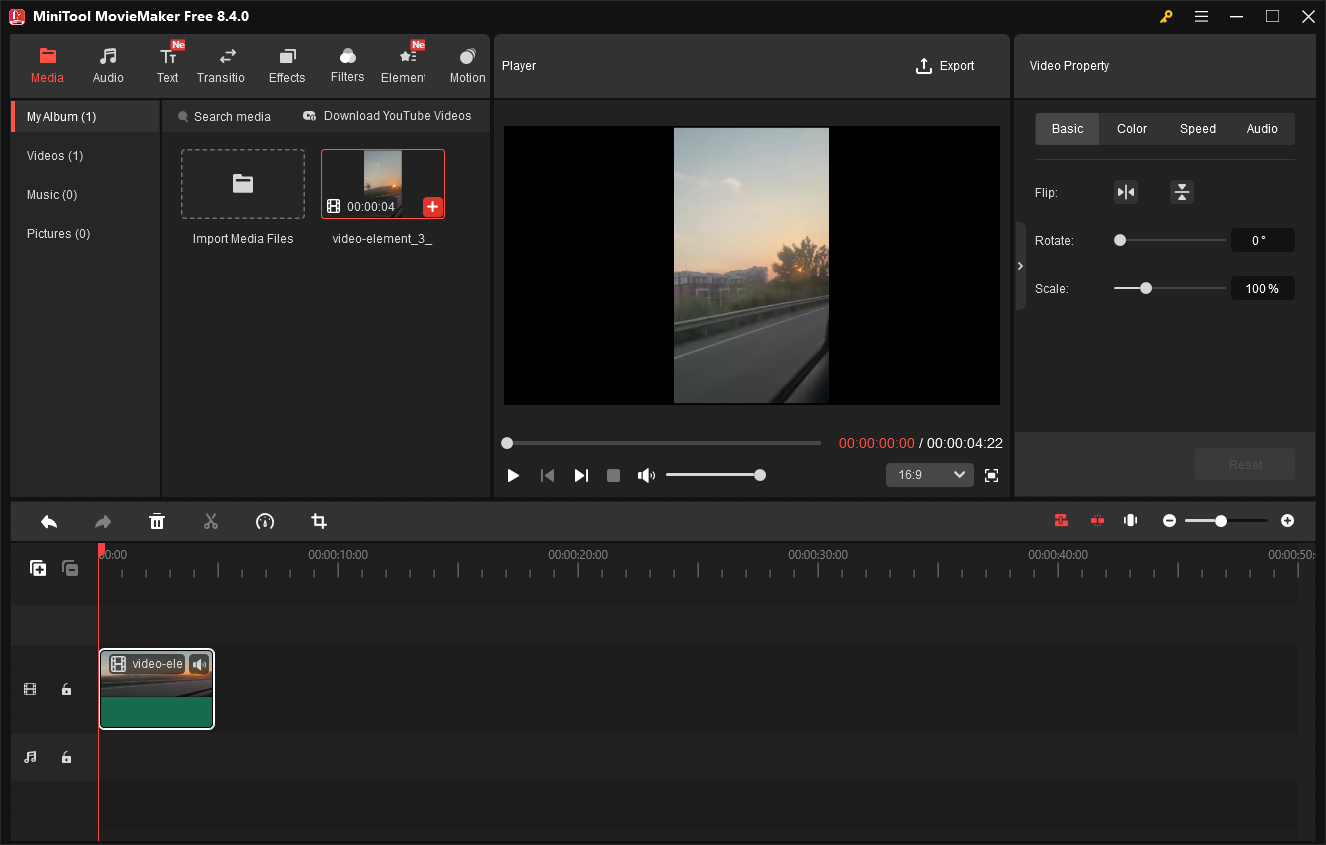
Do you want to edit your FLV videos? If yes, MiniTool MovieMaker can help. It enables you to crop, flip, rotate, reverse, split, merge, or speed up the FLV video easily and quickly. Meanwhile, MiniTool MovieMaker allows you to change the aspect ratio and volume of the video effortlessly.
More importantly, MiniTool MovieMaker offers you a wide range of elements, including motions, transitions, filters, effects, captions, and more. Plus, it empowers you to save your FLV videos in multiple formats, including MP4, GIF, MOV, AVI, MP3, and so on.
MiniTool MovieMakerClick to Download100%Clean & Safe
Final Words
With MiniTool Video Converter, you can convert FLV to OGG and vice versa without a file size limit. Provided that you want online methods, use Convertio or FreeConvert.
About The Author

Position: Columnist
With over 6 years of experience as a tech writer, Eien specializes in creating clear, simple guides for video conversion, transcription, screen recording, etc. He stays connected with the tech community and its readers to understand the real-world problems users face. By combining their feedback with his own hands-on testing, Eien always provides proven solutions to complex software problems in time.
User Comments :