

Can CDJs play FLAC files? Actually, it depends on which model you use. If it is XDJ-700, Pioneer CDJ-2000NXS, or CDJ-900, it can’t support FLAC. It also shows you how to convert FLAC to a CDJ-supported format like MP3 with 2 useful audio converters: MiniTool Video Converter or FreeConvert.
Can CDJs Play FLAC
Can CDJs play FLAC files? There isn’t a definite answer. For instance, CDJ models, such as Pioneer CDJ-3000, CDJ-2000NXS2, XDJ-1000MK2, and newer models support FLAC. However, some CDJ models like XDJ-700, Pioneer CDJ-2000NXS, CDJ-900, and CDJ-850 don’t support FLAC.
Hence, if your CDJ models don’t read FLAC, you will find that the audio is not working. To solve that problem, you need to convert FLAC to a CDJ-compatible format like MP3, WAV, or AIFF.
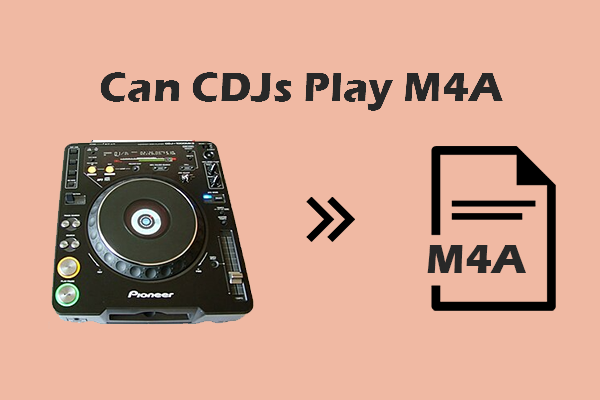
Solutions to FLAC Not Playing on CDJs
How to convert FLAC to a format compatible with CDJs? Below are 2 audio converters.
- MiniTool Video Converter
- FreeConvert
How about the conversion steps? Are they easy to complete? Yes. The following is the common conversion guide.
Fast Steps:
- Access the conversion interface
- Import an FLAC audio
- Specify a format compatible with CDJ
- Start the conversion
- Check the converted audio
Method 1. Use MiniTool Converter
MiniTool Video Converter is a feature-rich application that enables you to convert FLAC to CDJs. Moreover, it supports a wide range of CDJ-supported formats like MP3, WAV, AIFF, AAC, and more. Meanwhile, MiniTool Video Converter supports batch conversion, allowing you to convert up to 5 audio files simultaneously. Here’s how:
1. Download and Install MiniTool Video Converter
Get, install, and open MiniTool Video Converter.
MiniTool Video ConverterClick to Download100%Clean & Safe
2. Import FLAC File
Click Add Files to import a FLAC audio.
3. Configure a Format Compatible with CDJs
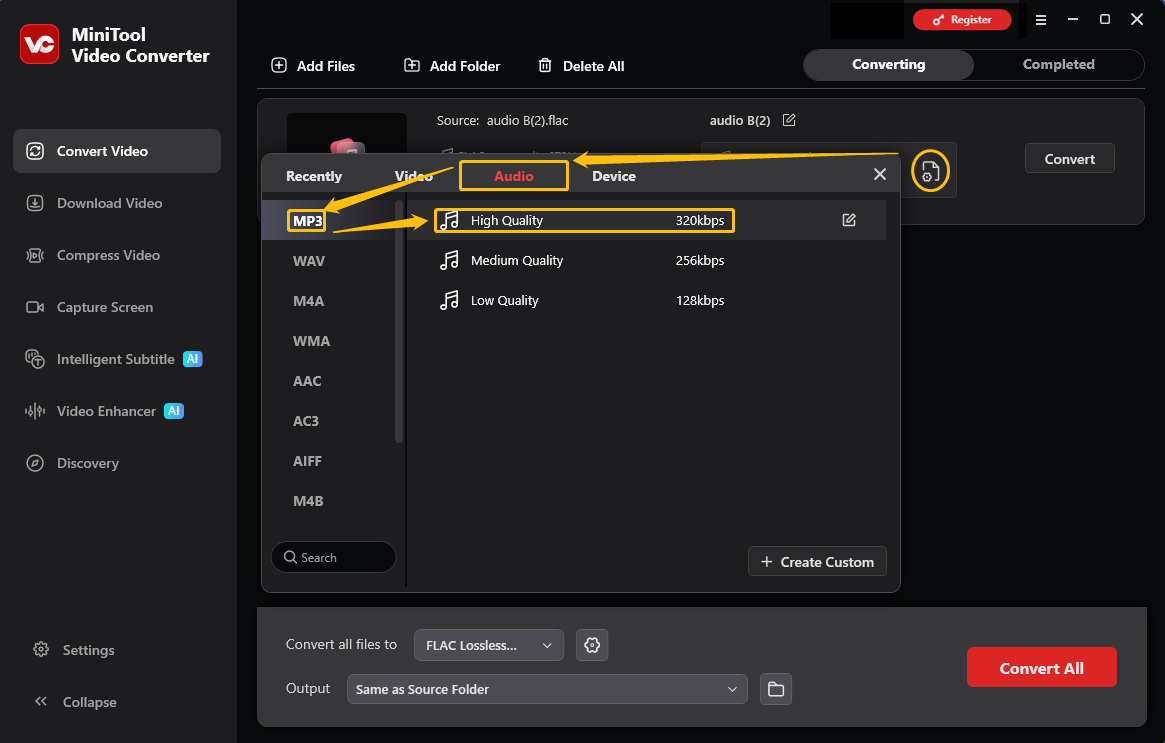
Click the output format icon to open the output format window, switch to Audio, choose MP3, and choose an audio quality option, like High Quality.
4. Start the Conversion
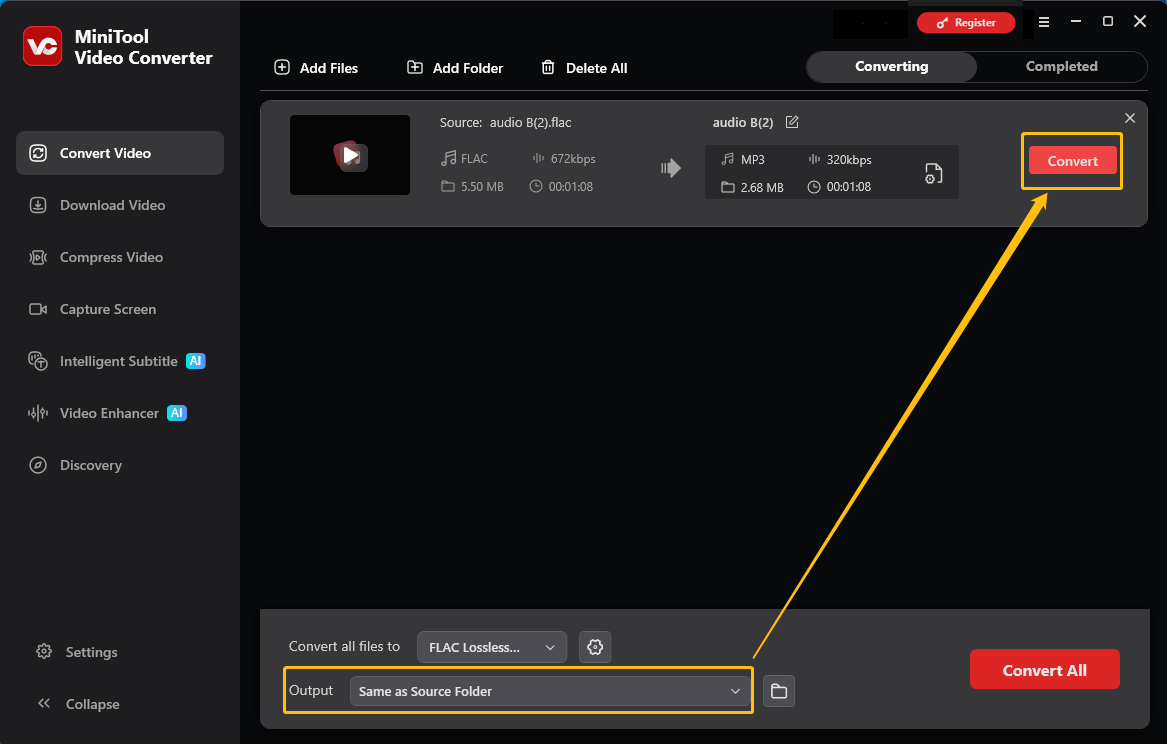
Expand Output to specify a storage location for the converted audio. Then, click Convert to begin the conversion.
5. Check and Locate the Converted Audio
Click the Play icon or the Folder icon to play or locate the converted audio.
What’s more, MiniTool Video Converter never costs you a dime. This application enables you to convert countless files without a file size limit.
Method 2. Use FreeConvert
If you want to convert FLAC to a format compatible with CDJs, FreeConvert can help. It is a remarkable web-based converter that allows you to upload FLAC files from multiple sources, such as OneDrive or Google Drive. In addition, FreeConvert empowers you to convert FLAC to various formats, including MP3, WAV, WMA, and OGG.
Below is a step-by-step guide on how to get an MP3 from FLAC using FreeConvert.
1. Go to the FLAC to MP3 Converter Page of FreeConvert
Visit https://www.freeconvert.com/flac-to-mp3.
2. Import the FLAC Files
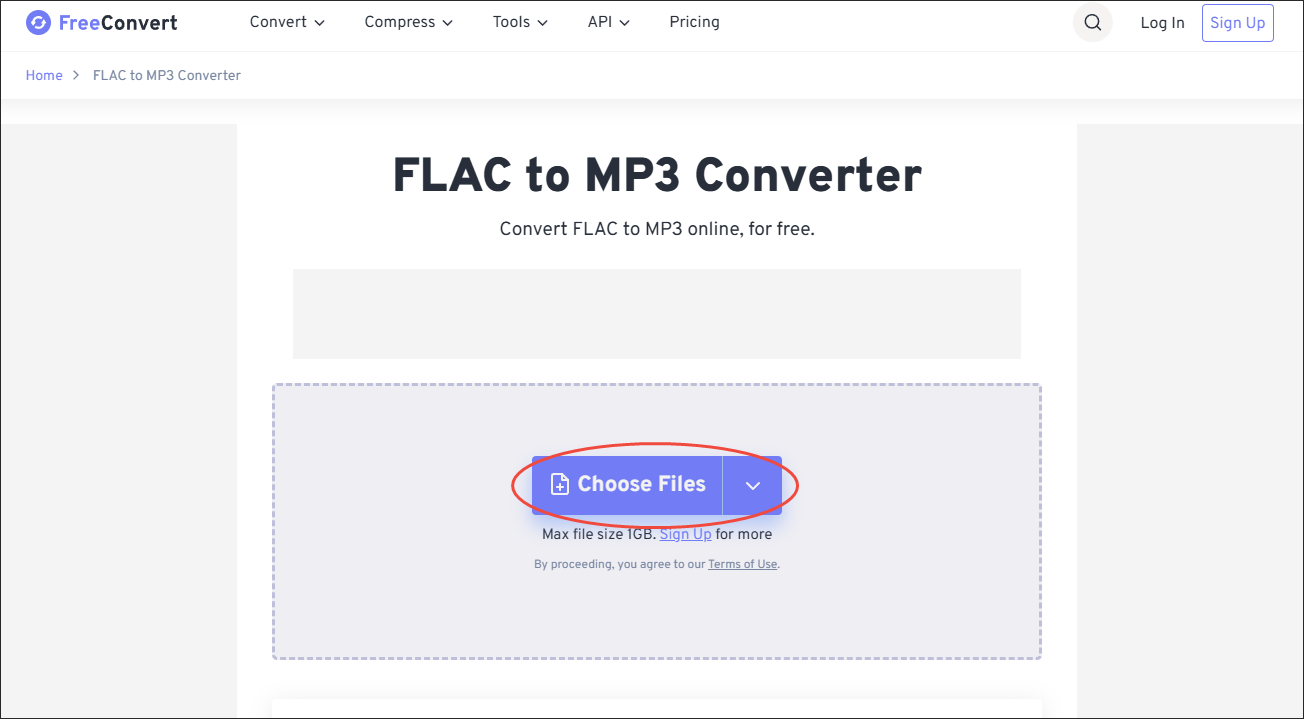
Click on the Choose Files option to upload the FLAC files.
3. Configure the Conversion Settings
Click on the Settings icon to enter the Advanced Options window. There, you can customize the various parameters of the output file. Finally, save the changes by clicking on the Apply Settings option.
4. Start Conversion and Check the Output Files
Begin the conversion process by clicking on the Convert button. When the file conversion process completes, download and check the output files.
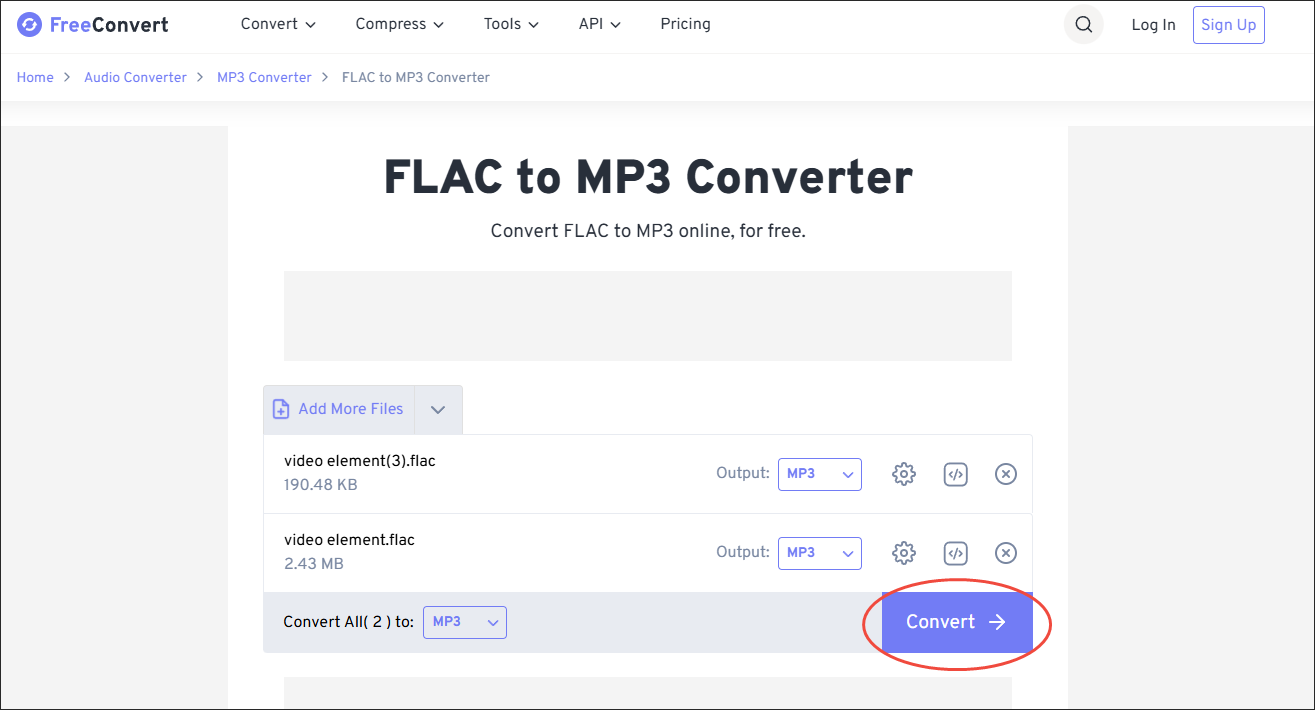
Undoubtedly, FreeConvert is an amazing online converter. However, it has a 1GB file size limit for free users.
Final Thoughts
Can CDJs play FLAC files? The answer relies on which CDJ model you are using. If your CDJ model doesn’t recognize FLAC files, you can convert FLAC to MP3 with MiniTool Video Converter or FreeConvert.
If you need any assistance while using MiniTool Video Converter, please feel free to contact MiniTool at support@minitool.com.
User Comments :