

Can I convert MKA to FLAC? Yes! How to do this conversion? Download an audio conversion tool, upload an MKA audio, specify MP3 as the converted format, start the conversion process, and check or locate the converted audio.
Why Convert MKA to FLAC
If you convert MKA to FLAC, your need for reducing file size can be satisfied very well. More importantly, such conversion won’t sacrifice the audio quality of an MKA file. Moreover, after the conversion, your audio files can be more compatible with devices and players.
How to Convert MKA to FLAC
- MiniTool Video Converter
- Filestar
- Movavi Online Video Converter
How to convert MKA to FLAC? The following steps are regular conversion steps.
Fast Steps:
- Download an audio converter
- Import an MKA file
- Configure MP3 as the output format
- Start the conversion
- Check or locate the converted audio
#1. MiniTool Video Converter
MiniTool Video Converter is a practical MKA to FLAC converter. It also supports batch audio conversion of up to 5 tasks. Below is how to convert MKA to FLAC using this desktop conversion tool.
1. Get MiniTool Video Converter
Download and install MiniTool Video Converter. Then, run this application.
MiniTool Video ConverterClick to Download100%Clean & Safe
2. Import the MKA File
Click on the Add Files option in the default Convert Video tab to import the target file.
3. Choose FLAC as the Converted Format
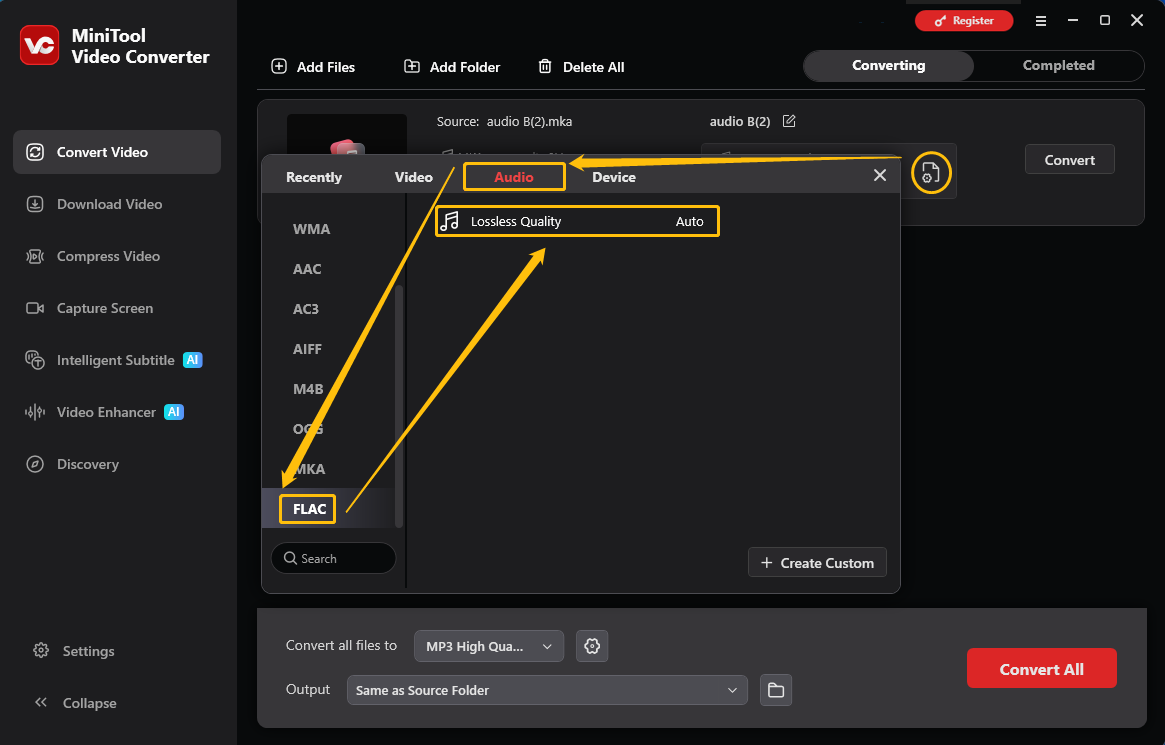
Click on the Gear icon to open the output format window. There, switch to the Audio tab and choose FLAC. Then, select the Lossless Quality option.
4. Start the Conversion
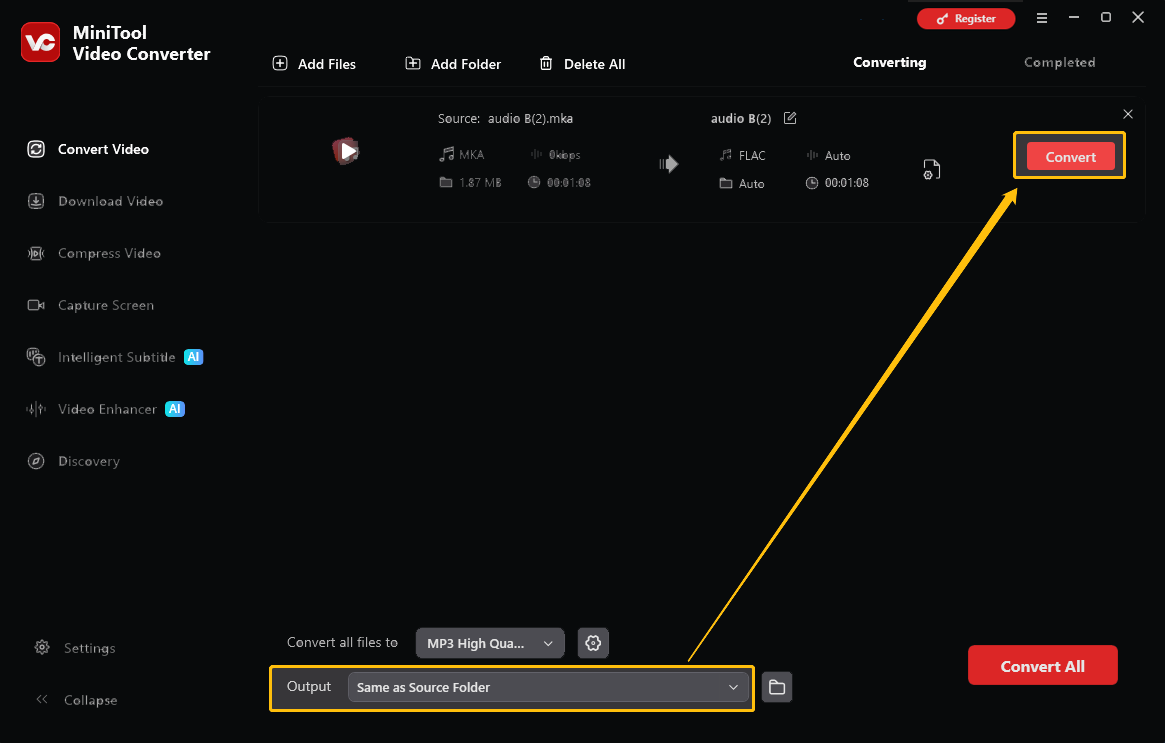
Expand the Output format to choose a saving path for the converted audio. Then, click on the Convert button to start the conversion.
5. Check and Locate the Converted Audio
As soon as the conversion ends, this converter will automatically go to the Completed tab. Here, click on the Play icon to check the converted audio. Or click on the Folder icon to locate it on the computer.
MiniTool Video Converter also allows you to convert audio to compatible with popular social media platforms, such as YouTube, Vimeo, Facebook, and Instagram.
#2. Filestar
Filestar is an offline MKA to FLAC converter that enables you to accomplish the conversion task easily and quickly. It also supports various formats, including AAC, AIFF, WMA, OGG, and more. Below are the detailed steps to convert your MKA files.
1. Download and install Filestar on your PC. Then, launch it to enter the main interface.
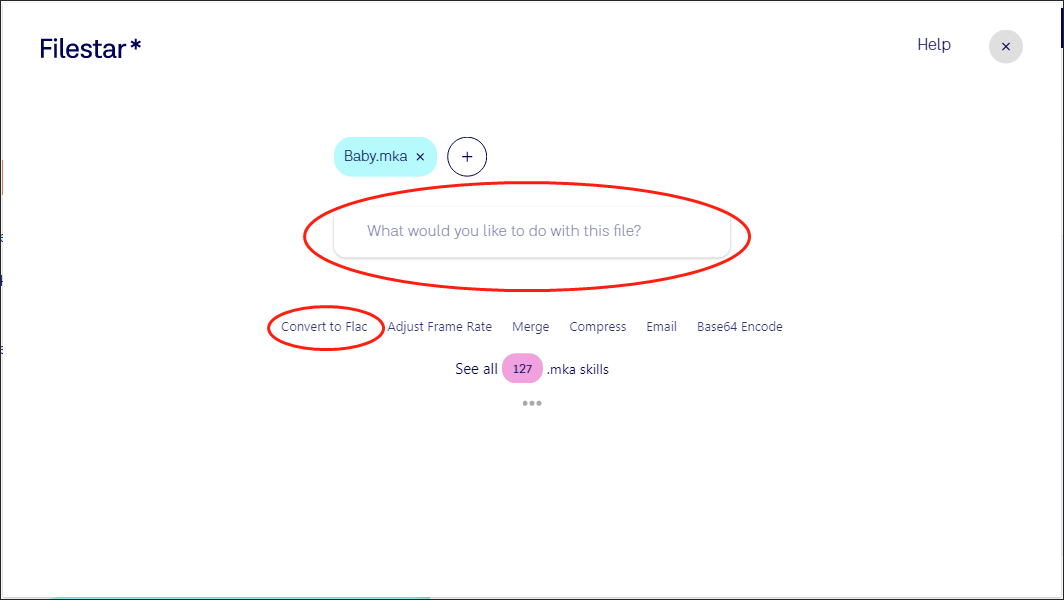
2. Import your MKV file by clicking on the plus icon.
3. Access the conversion page by clicking on the Convert to Flac button. If you don’t see that button, search for it by inputting convert to flac into the search box.
4. Click on the Convert button to begin the conversion from MKA to FLAC.
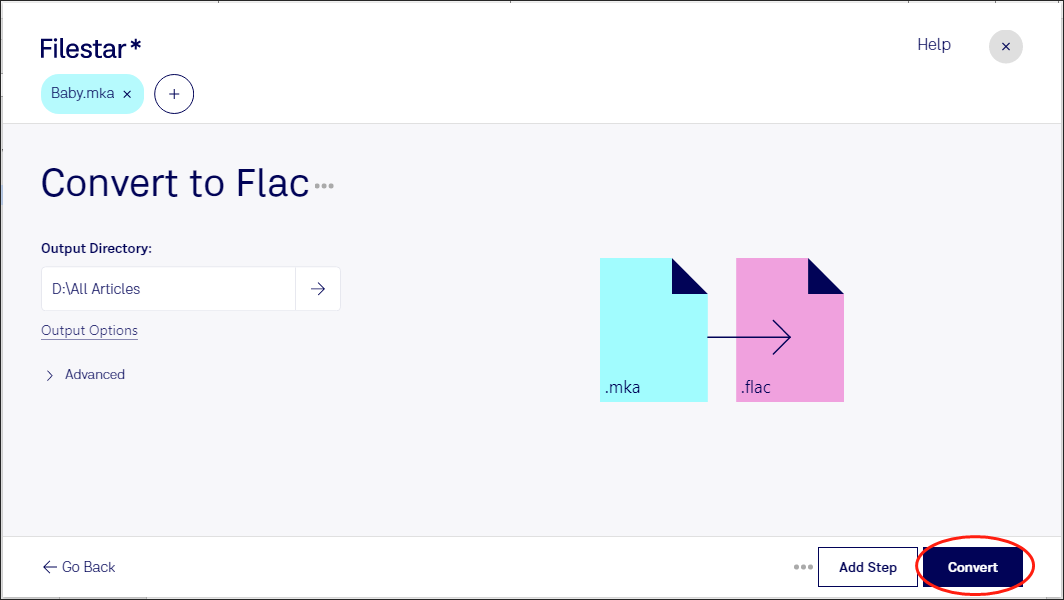
5. Once your conversion task is over, download and check your converted file.
As you can see, Filestar is a robust MKA to FLAC converter. However, if you want to use it to convert more than one MKA file at once, you need to pay for the upgrade.
#3. Movavi Online Video Converter
For online MKA to FLAC conversion, Movavi Online Video Converter is an ideal tool. This conversion tool can change file format, resolution, and bitrate in real time.
1. Visit the MKA to FLAC Converter page of Movavi.
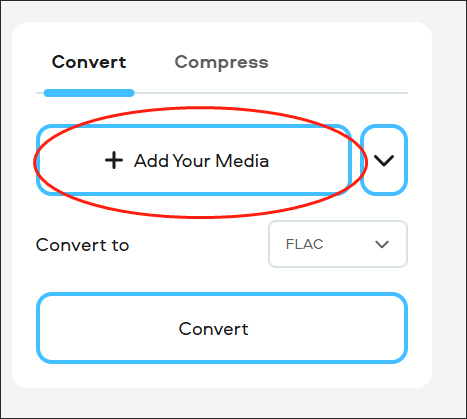
2. Upload your MKA file by clicking on the Add Your Media button.
3. Begin the conversion from MKA to FLAC by clicking on the Convert button.
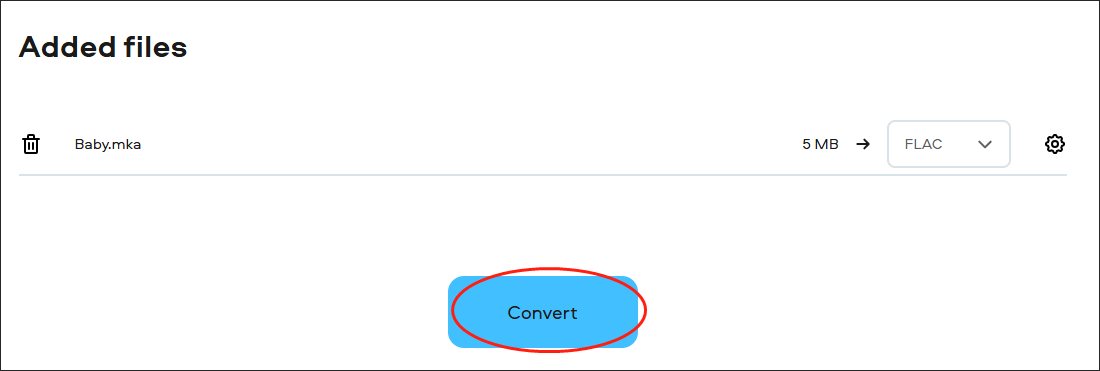
4. Once the conversion is done, download and check your converted file.
With this online tool, you can convert your MKA files easily and quickly. Meanwhile, you don’t have to download and install any plug-in or app.
Final Words
Better compatibility and a small file size are both contributors to your conversion from MKA to FLAC. This article has offered two specific guides to facilitating your conversion. At the same time, it recommends nice converters to help you accomplish the conversion tasks.
If you are interested in MiniTool Video Converter, send an email to support@minitool.com for help.
User Comments :