

This article explains what MIDI and WMA are. It will also explain why convert MIDI to WMA and show how to make the conversion using 2 practical methods, including FreeConvert and an Online converter.
Introduction to MIDI and WMA
What are MIDI and WMA? Before we learn how to convert MIDI to WMA, let’s figure them out in a few minutes.
About MIDI
MIDI (Musical Instrument Digital Interface) is an American-Japanese technical standard developed MMA (MIDI Manufacturers Association). MIDI boasts excellent compatibility with a variety of computers, electronic musical instruments, and other audio devices, enabling music recording and performance.
MIDI allows electronic musical instruments of different types and brands to transcend manufacturer limitations. In addition, MIDI videos have a small size and are easy to modify and manipulate.
About WMA
WMA (Windows Media Audio) is a digital audio format developed by Microsoft, which is a proprietary format. WMA can not only reduce audio file size but also ensure sound quality simultaneously.
WMA is suitable for online music streaming and is compatible with Windows Media Player and most other players. Notably, it supports DRM (Digital Rights Management), which allows content creators to manage WMA files independently.
Why Convert MIDI to WMA
While MIDI boasts compatibility and editability, it isn’t a real audio format. It may not play fluently on different devices. Therefore, converting MIDI to WMA can result in more stable and smoother audio playback.
WMA is an audio format with good compression efficiency and is easier to share on social media platforms. Converting MIDI to WMA keeps a smaller file size with high audio quality.
How to Convert MIDI to WMA
Are you still looking for a MIDI to WMA converter? I will share 2 online MIDI to WMA converters with you.
#1. Use FreeConvert
FreeConvert is an online MIDI to WMA converter. You can import your MIDI files via local files, Dropbox, OneDrive, Google Drive, and URLs. It supports converting over 450+ audio formats, such as MIDI, WMA, AAC, AIFF, OGG, WAV, and more. FreeConvert allows you to convert up to 1GB in size for each file.
Let’s take a look at how to convert MIDI to WMA with FreeConvert.
Step 1. Go to FreeConvert’s Webpage
Navigate to https://www.freeconvert.com/midi-to-wma to enter FreeConvert’s Webpage.
Step 2. Add a MIDI File
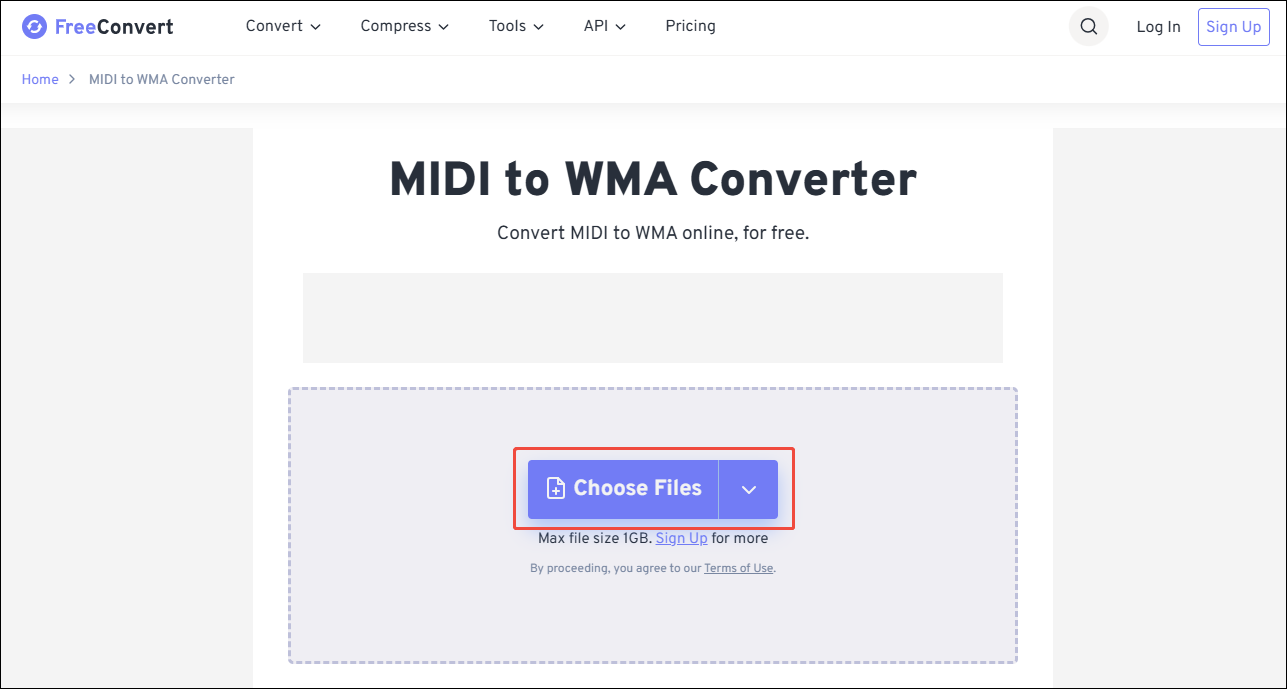
After accessing FreeConvert’s MIDI to WMA conversion page, click on the Choose Files option to add a MIDI file.
Step 3. Set WMA as the Output Format
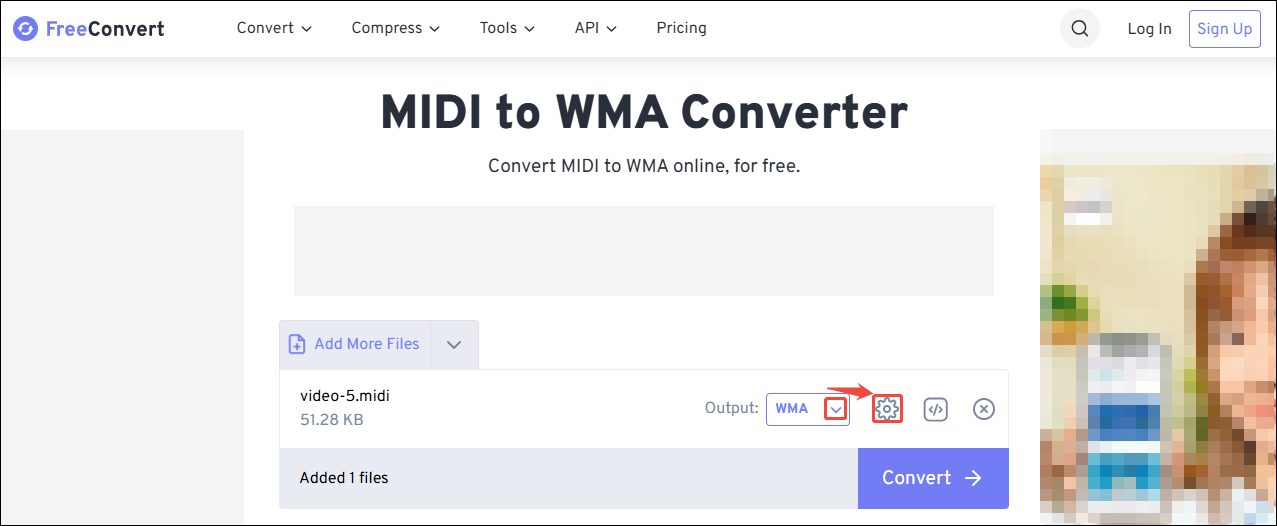
Expand the Output option on the conversion task to choose WMA as the output format. Then, click on the Gear icon to trigger the Advanced Options window.
Step 4. Customize the Converted Audio
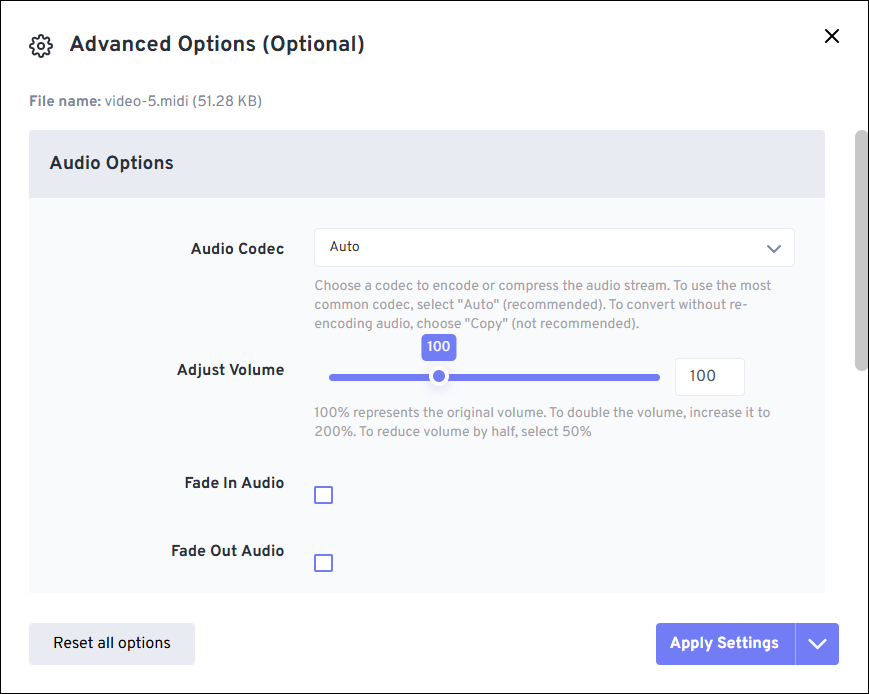
In the Advanced Options window, you can customize the audio codecs, volume, and audio fade-in/out. Then, click on the Apply Settings option to save the changes.
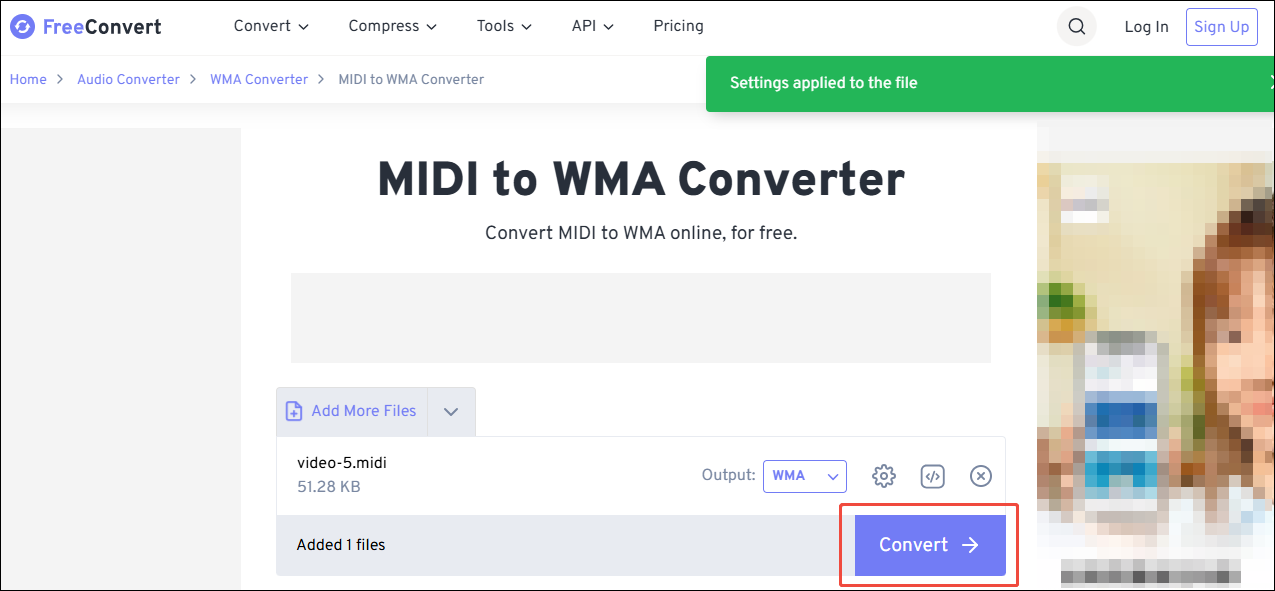
Step 5. Start the Conversion
Once the conversion finishes, click on the Convert button to start the conversion.
Step 6. Download the Converted Audio
Click on the Download button to save the converted audio.
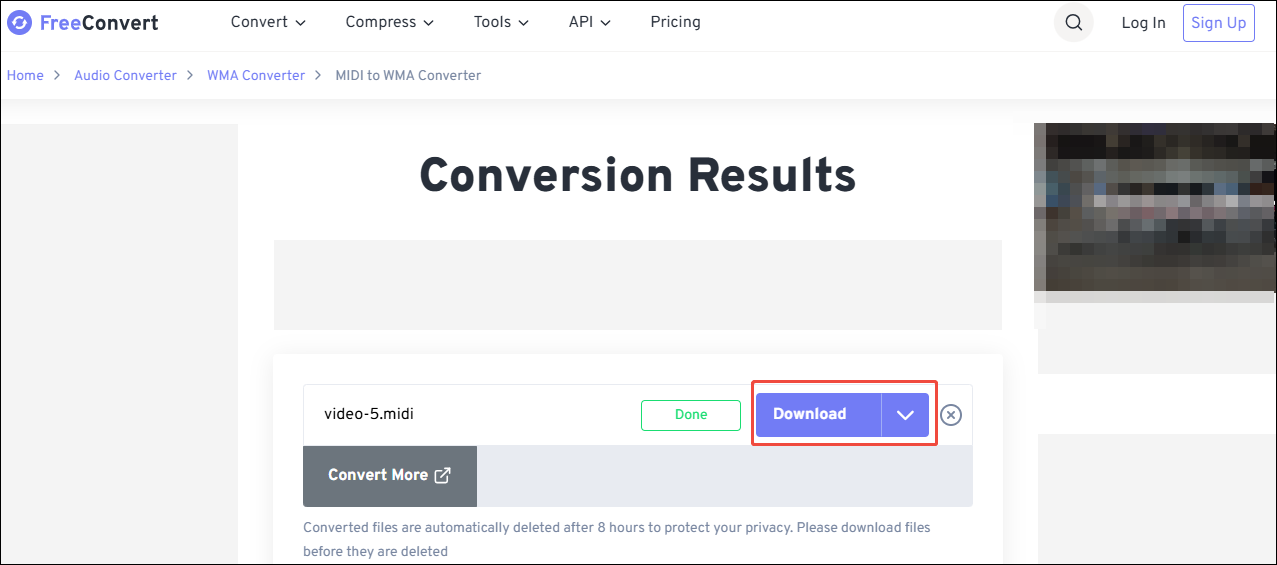
Using FreeConvert makes MIDI to WMA conversion easy and instant. However, when you use this online converter, you may need to bear the vexing ads.
#2. Use Online converter
Online converter is a comprehensive media file processing tool. It can safely and quickly convert MIDI to WMA. Online converter supports converting audio, videos, documents, e-books, archives, images, and more. In addition, it also enables you to change audio quality, sample rates, and channels.
Below is how to convert MIDI to WMA using Online converter.
Step 1. Visit the Conversion Page of Online converter
Navigate to https://audio.online-convert.com/convert-to-wma to open the MIDI to WMA conversion page of Online converter.
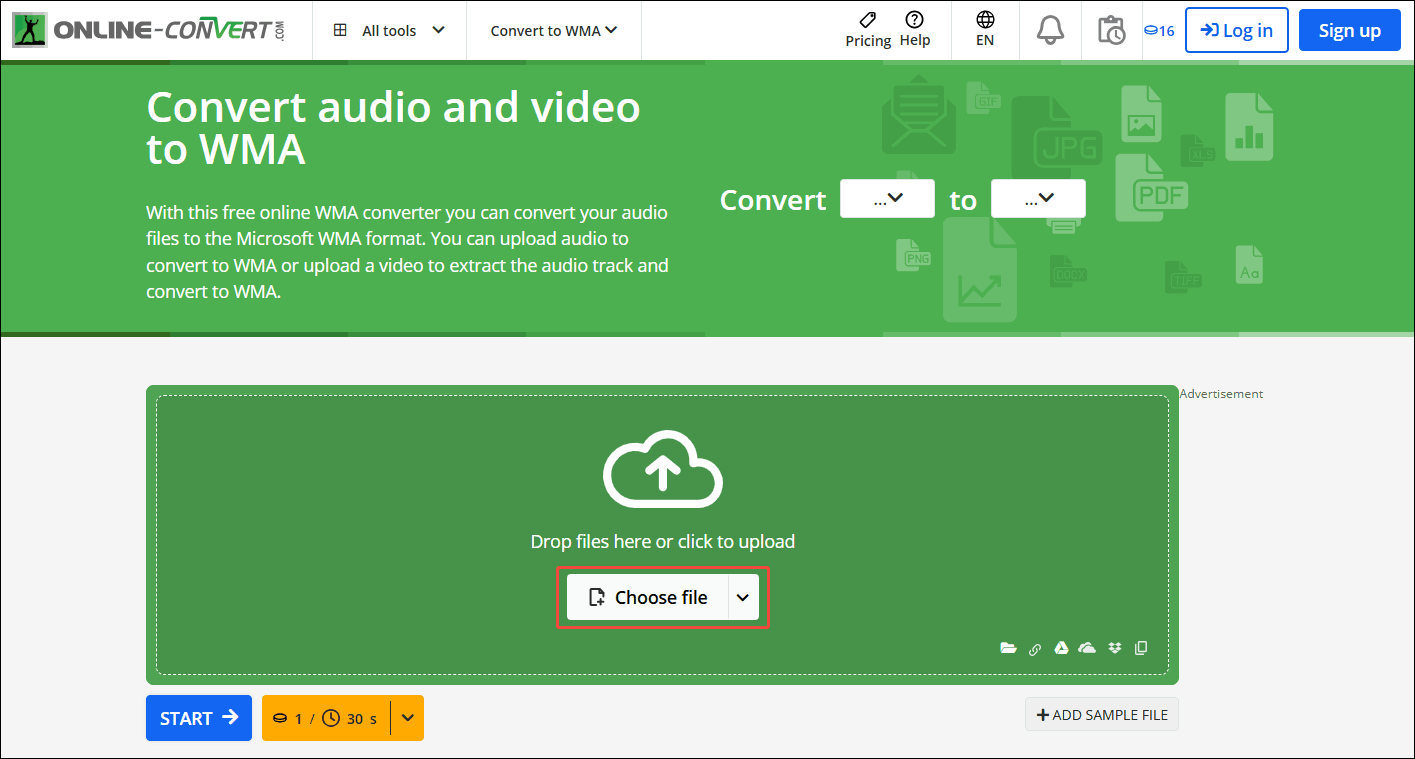
Step 2. Choose MIDI File
Click on the Choose file option to import the MIDI file.
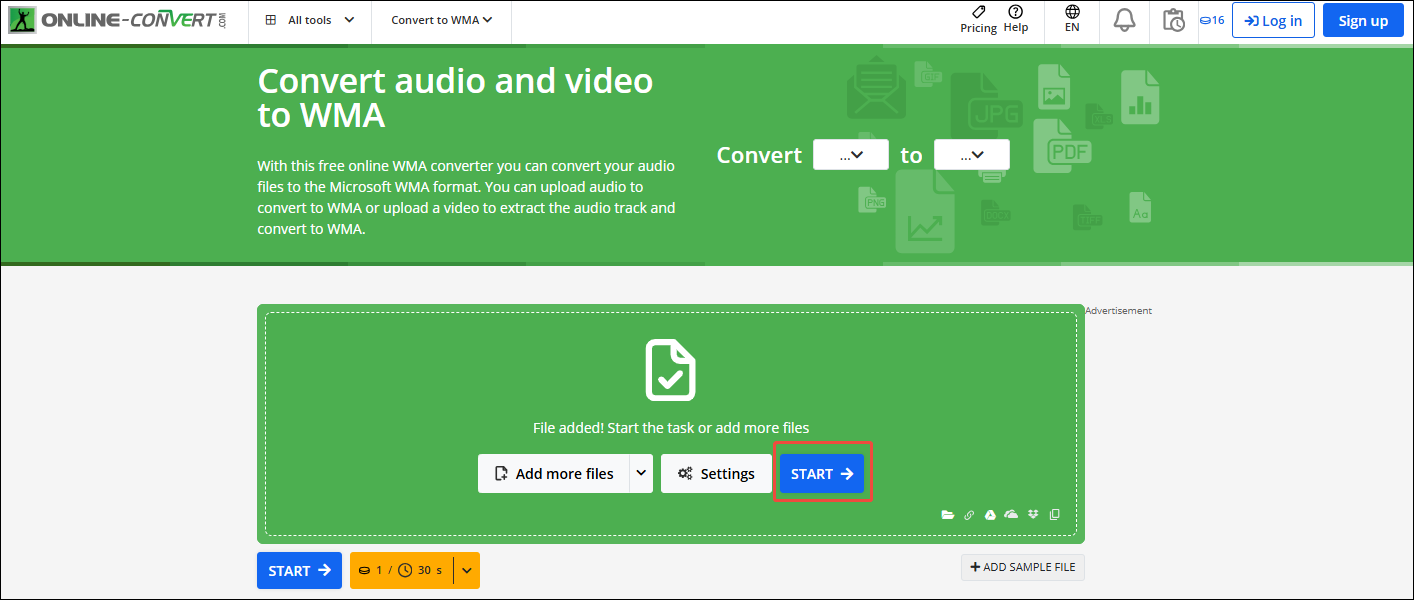
Step 3. Configure WMA as the Converted Audio
Click on the START button to begin the conversion process.
Step 4. Save the Converted Audio
When the conversion process completes, click on the Download button under the File List tab to save the converted audio.
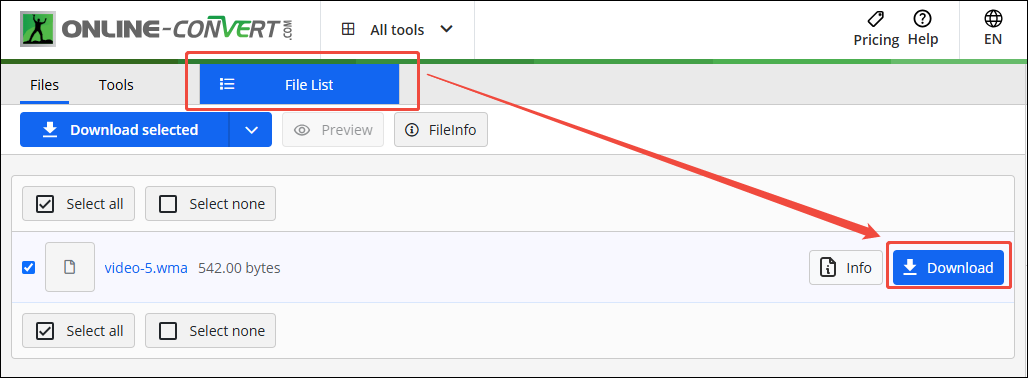
Online converter is an efficient MIDI to WMA converter.
Bonus: How to Convert Other Formats to WMA
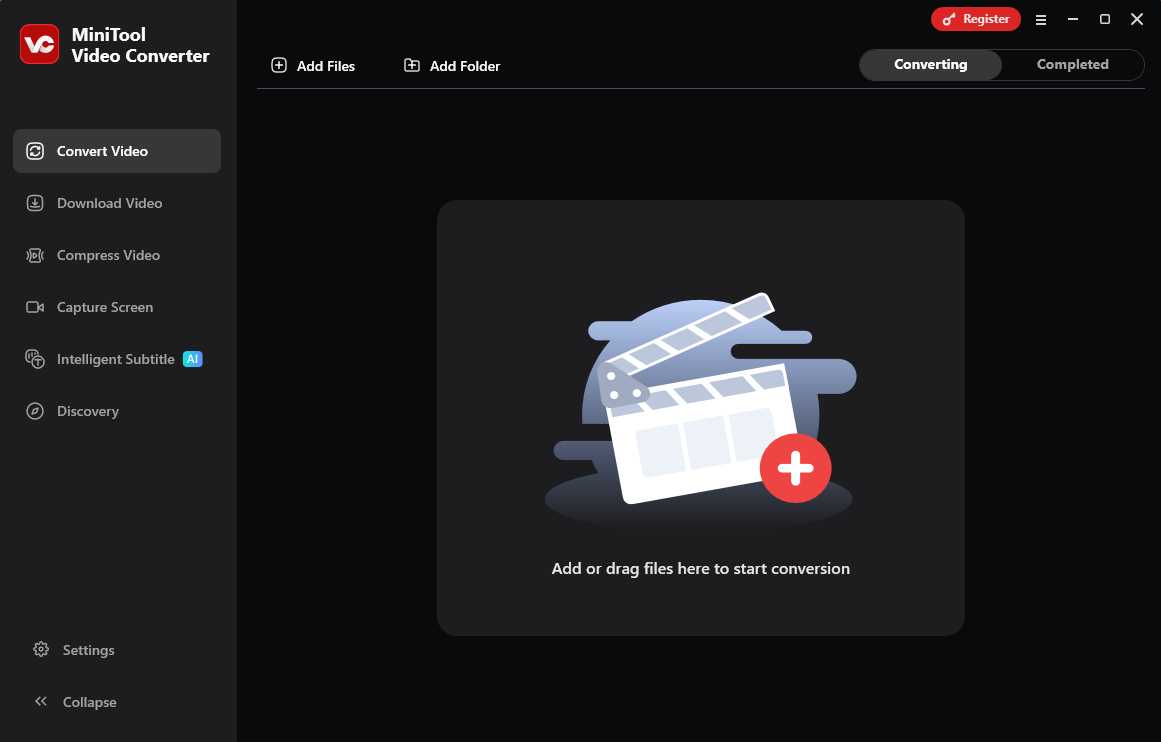
If you need to convert other formats to acquire better compatibility, never miss MiniTool Video Converter. It is a free video converter that supports various conversions from more than 1,000 formats.
MiniTool Video Converter enables you to convert audio and video formats to be compatible with social media platforms, including YouTube, Instagram, Facebook, and Vimeo. Moreover, it also supports batch conversion, which many converters lack. MiniTool Video Converter doesn’t come with ads, watermarks, or size limitations.
MiniTool Video ConverterClick to Download100%Clean & Safe
Conclusion
All in all, this post presents what MIDI and WMA are. It also explains why to convert MIDI to WMA and shares 2 fantastic converters to complete this conversion, including FreeConvert and Online converter. Also, the post mentions a converter that can convert other formats to WMA: MiniTool Video Converter.
User Comments :