

This article shares with you the overview of Vorbis and AAC and explain why you turn Vorbis-encoded audio to AAC. It also shows how to convert Vorbis to AAC with 2 methods, including using MiniTool Video Converter and FreeConvert.
About Vorbis
Vorbis is an open-source and patent-free lossy audio codec developed by Xiph.Org. It is often used with the OGG container format. Therefore, it is also commonly referred to as OGG Vorbis.
Vorbis can also be used with other formats, such as WebM. However, Vorbis has been superseded by the more advanced Opus audio codec. So, it is not suitable for most audio nowadays.
About AAC
AAC (Advanced Audio Coding) is a lossy digital audio format. It is an alternative to MP3. Furthermore, AAC offers higher compression efficiency than MP3 without sacrificing sound quality. It is compatible with most devices and platforms, such as iPhones and Windows systems.
Why Convert Vorbis to AAC
AAC has better compatibility than Vorbis encoding. It's one of the essential formats for Apple devices. Vorbis-encoded formats like OGG, an older format, may experience stuttering. Therefore, converting Vorbis-encoded audio to AAC effectively solves this problem.
How to Convert Vorbis to AAC
Can’t find an available Vorbis to AAC converter? I would like to share 2 fabulous converters with you, which are both my favorites.
1.MiniTool Video Converter
As a free video converter, MiniTool Video Converter can smoothly convert Vorbis to AAC video. It also makes you convert other formats easily, including MKV to MP3, MOV to AIFF, WebM to WMA, MOV to AC3, and more.
What’s more, MiniTool Video Converter allows you to convert 4K video to various formats, such as 4K video to WebM, 4K video to WMV, and 4K video to MKV. Besides, it also enables you to convert up to 5 tasks at once.
MiniTool Video Converter features customizable parameters, including channels, sample rate, and audio encoder, providing users with more personalized settings for the converted audio.
Below is a full guide on how to convert Vorbis to AAC using MiniTool Video Converter.
Step 1. Obtain MiniTool Video Converter
Simply click on the download button below to download MiniTool Video Converter. Then, install it according to the on-screen tutorial.
MiniTool Video ConverterClick to Download100%Clean & Safe
Step 2. Import the Vorbis Encoded Audio
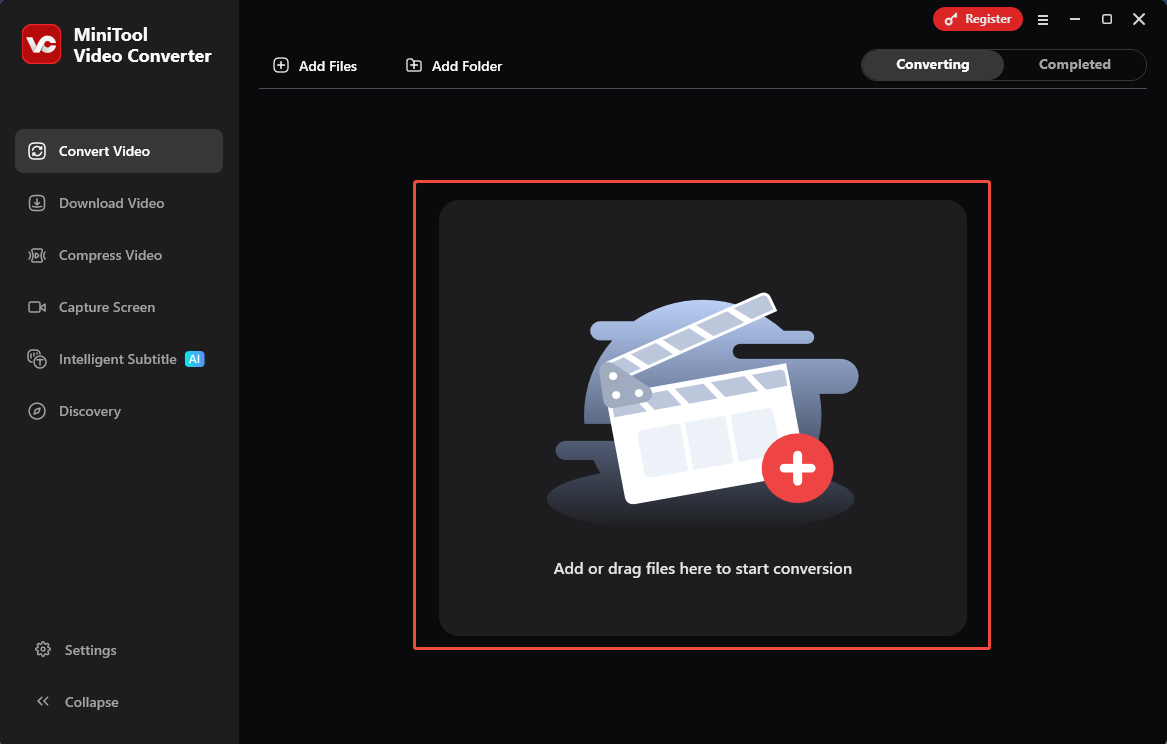
Launch MiniTool Video Converter. Drag the Vorbis encoded audio into the Add or drag files here to start conversion region to import it.
Step 3. Set AAC as the Output Format
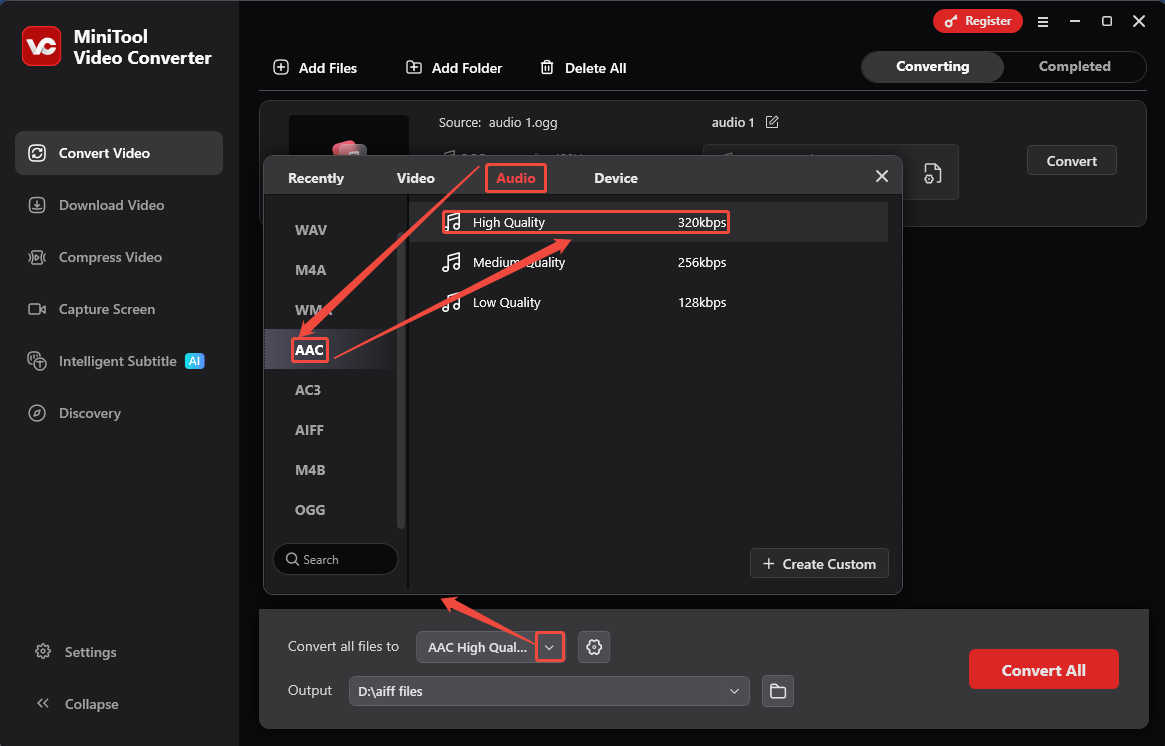
Click on the Convert all files to option to trigger the output format window. There, toggle to the Audio tab and choose AAC as the converted format. Then, select one of the audio qualities as needed. Here, I take High Quality as an example.
Step 4. Start Converting
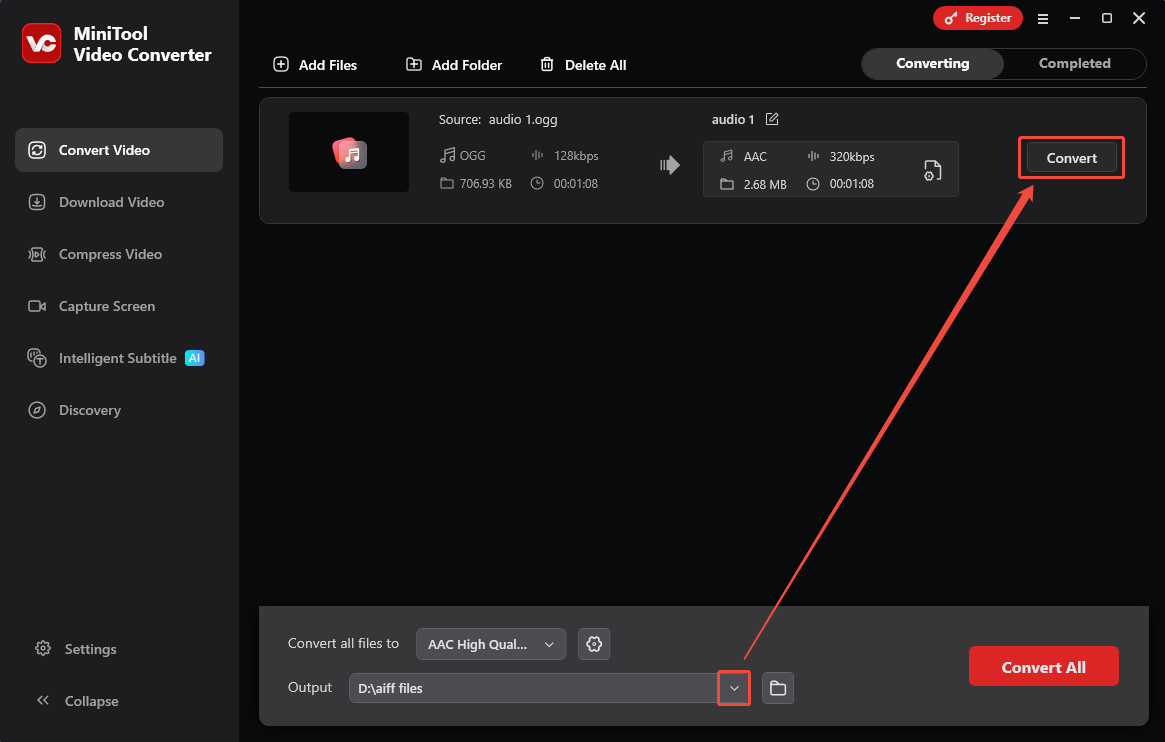
When the output format is set, expand the Output option to pick a save location. Then, click on the Convert button to start converting.
Step 5. Check the Converted Audio
Once the conversion finishes, click on the Play icon or the Folder icon to check the converted audio or locate it on your computer.
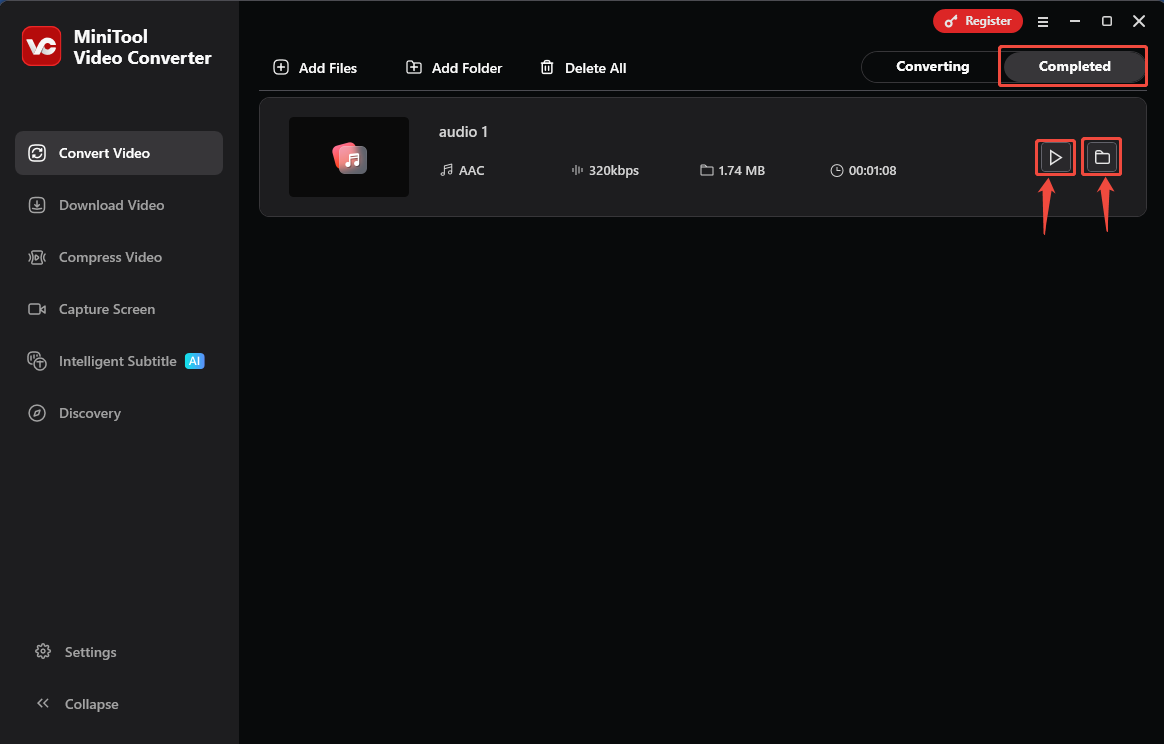
MiniTool Video Converter is an ideal tool to convert Vorbis-encoded audio to AAC. It is efficient and safe.
2. FreeConvert
FreeConvert is an online format changer. It accepts more than 1,000 formats for you to freely convert, including OGG, AAC, WebM, AVI, MP4, MP3, FLV, OGV, WMA, and more. In addition to uploading files from your computer, FreeConvert also allows you to add audio from many other platforms, such as OneDrive and Google Drive.
Step 1. Visit FreeConvert’s Webpage
Go to https://www.freeconvert.com/ogg-to-aac to enter the Vorbis to AAC Conversion webpage.
Step 2. Upload the Vorbis-encoded Audio
Click on the Choose Files option to upload the Vorbis-encoded audio.
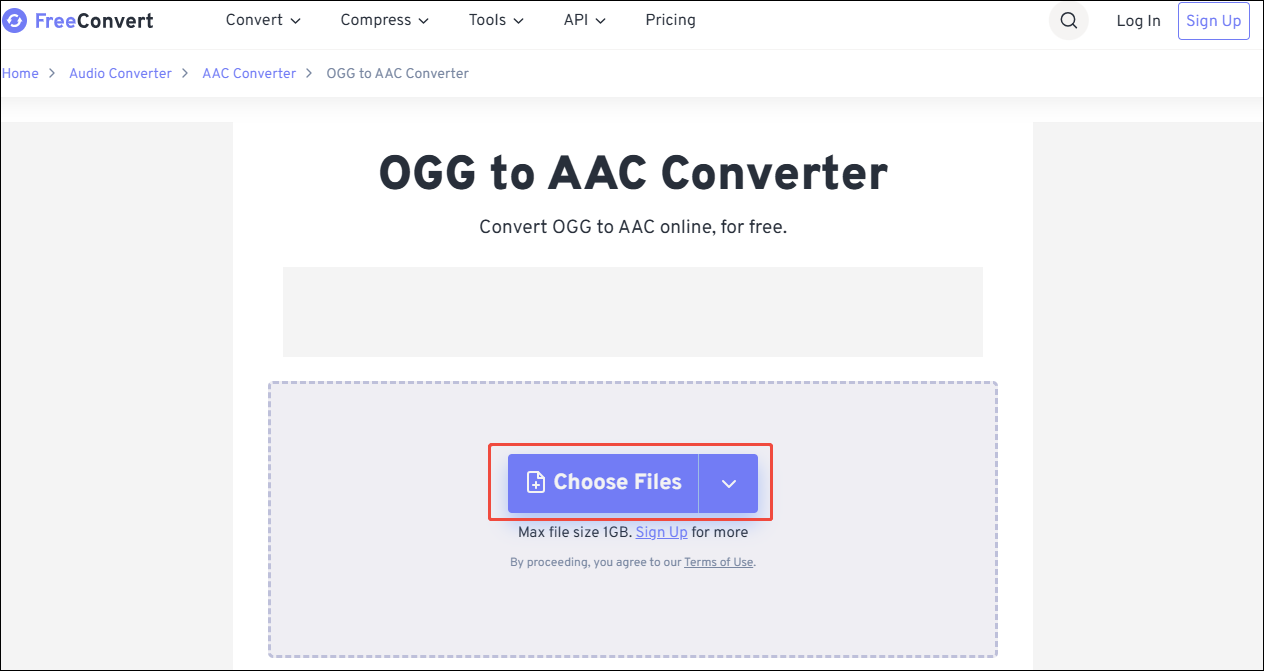
Step 3. Begin the Conversion Process
When the target audio is uploaded, click on the Convert button to begin the conversion process.
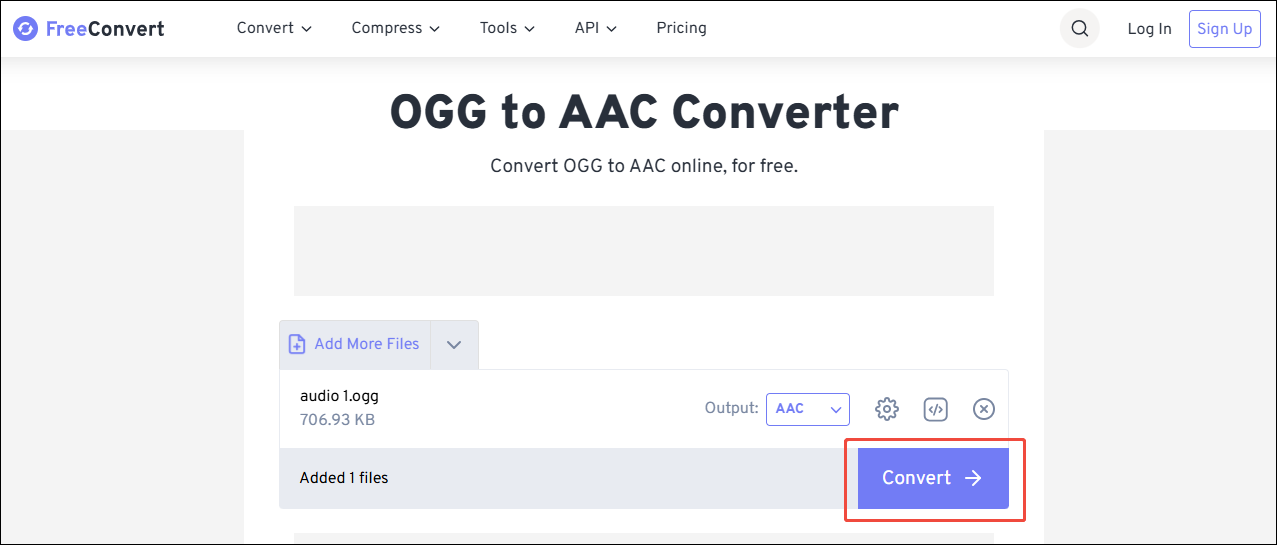
Step 4. Download and Check the Converted Audio
After converting the task, this online converter will automatically go to the download page. There, click on the Download button to save and check the converted audio.
Using FreeConvert, you will find it is easy to convert Vorbis to AAC. However, for users who are not logged in, FreeConvert only supports converting files no larger than 1GB at a time.
Wrap Things Up
This article helps you know why convert Vorbis to AAC and how to deal with this conversion with 2 excellent converters, including MiniTool Video Converter and FreeConvert. Due to FreeConvert only supporting format conversion for an audio file smaller than 1GB, if your file is larger than 1GB, you can use MiniTool Video Converter.
User Comments :