

Developed by the Mozilla Foundation, Firefox is a famous web browser with an open-source nature. It emphasizes security, speed, outstanding customizability, and rich privacy functions. Recently, some users are asking can Firefox play SWF files. To answer this question, the following content is written here.
Can Firefox Play SWF
Can Firefox play SWF files? The answer is no. It doesn’t mean that you need to uninstall Firefox and try another web browser. Specifically, due to security risks, Adobe ended its continuous support for Flash Player in 2020. Since then, Firefox doesn’t support SWF content anymore. If you want to view the SWF content on Firefox, don’t worry. The following content can help!
Method 1. Use a Flash Player Emulator
Although there isn’t any official support for Adobe Flash Player anymore, some Flash player emulators, such as SWF2JS and Ruffle, enable the interpretation of SWF code via modern web technologies. In this background, there is no need for unsupported, original plugins.
Considering that some of you may not know how to select a Flash player emulator, I will recommend Ruffle for you. With an open-source nature, it doesn’t require any payment and is compatible with a variety of modern browsers.
Ruffle, applying modern web technologies including WebGL and WebAssembly, enables you to play legacy Flash games and animations (SWF files) effortlessly. Below is a step-by-step tutorial on how to play SWF on Firefox with Ruffle.
Step 1. Enter the Add-ons page of Firefox.
After opening the Firefox browser, visit https://addons.mozilla.org/en-US/firefox/addon/ruffle_rs/.
Step 2. Add Ruffle to Firefox.
Click on the Add to Firefox option to install the Ruffle extension on your Firefox browser.
Step 3. Play the SWF content.
When the installation process ends, play the SWF content on Firefox. The Ruffle extension will automatically detect and play the SWF content.
Undoubtedly, the Ruffle extension empowers you to play SWF content on Firefox with ease.
Method 2. Convert SWF to MP4
Can Firefox play SWF files without a Flash Player emulator? The answer is yes. You can convert SWF videos to a Firefox-compatible format, such as MP4. To accomplish the conversion tasks, FreeConvert can help. It is a powerful web-based converter that supports a wide range of conversion tasks, including SWF to MP4, SWF to MP3, SWF to MKV, and so on.
With an intuitive interface, FreeConvert is easy to use for entry-level users. In addition, this online tool allows you to upload the SWF videos from multiple sources, including Google Drive, OneDrive, and more. Below are the detailed steps to convert SWF to MP4 using FreeConvert.
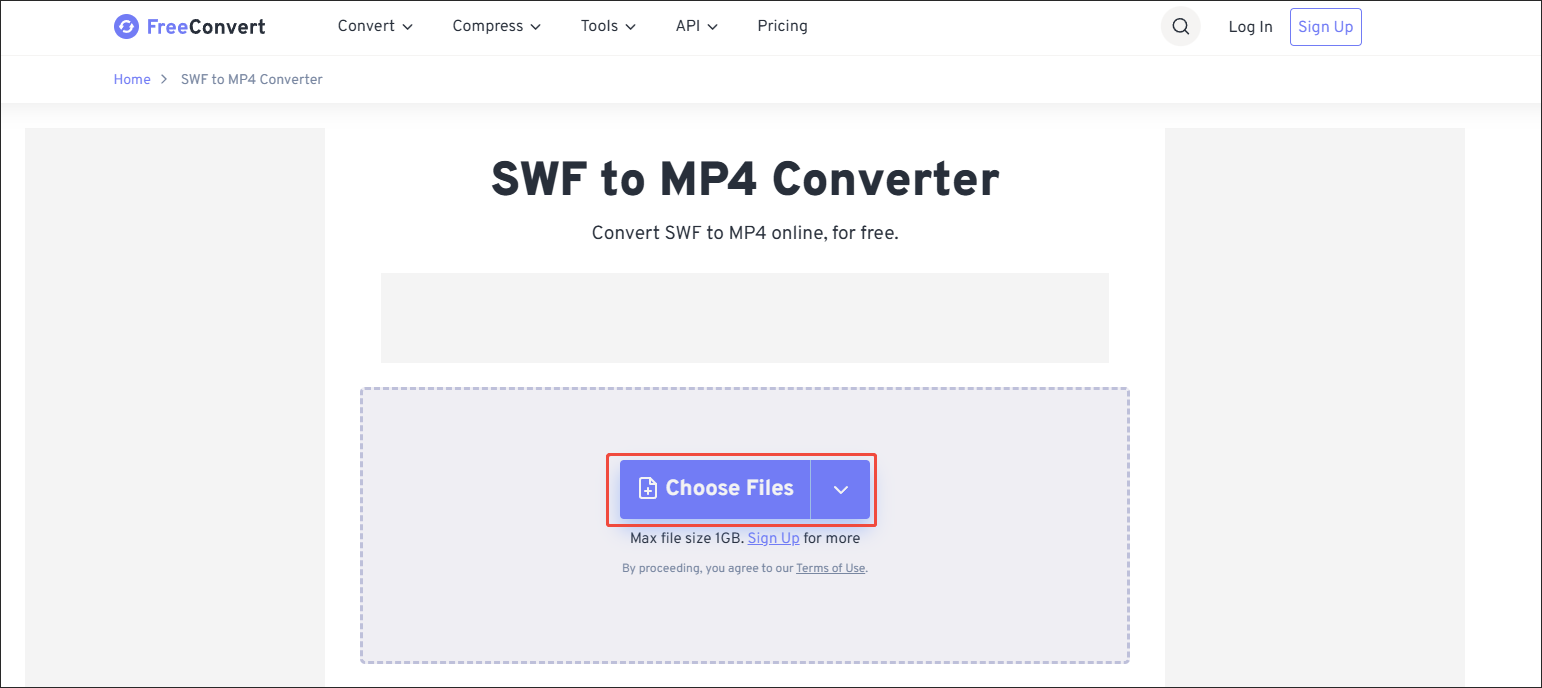
Step 1. Go to the SWF to MP4 Converter page of FreeConvert.
Visit https://www.freeconvert.com/swf-to-mp4.
Step 2. Import the SWF videos.
Click on the Choose Files option to upload the SWF files.
Step 3. Specify the conversion settings.
Click on the Settings icon to access the Advanced Options window. There, you can customize the video codec and frame rate. Also, you are free to resize, flip, or rotate the video. Finally, click on the bottom-right Apply Settings option to confirm the changes.

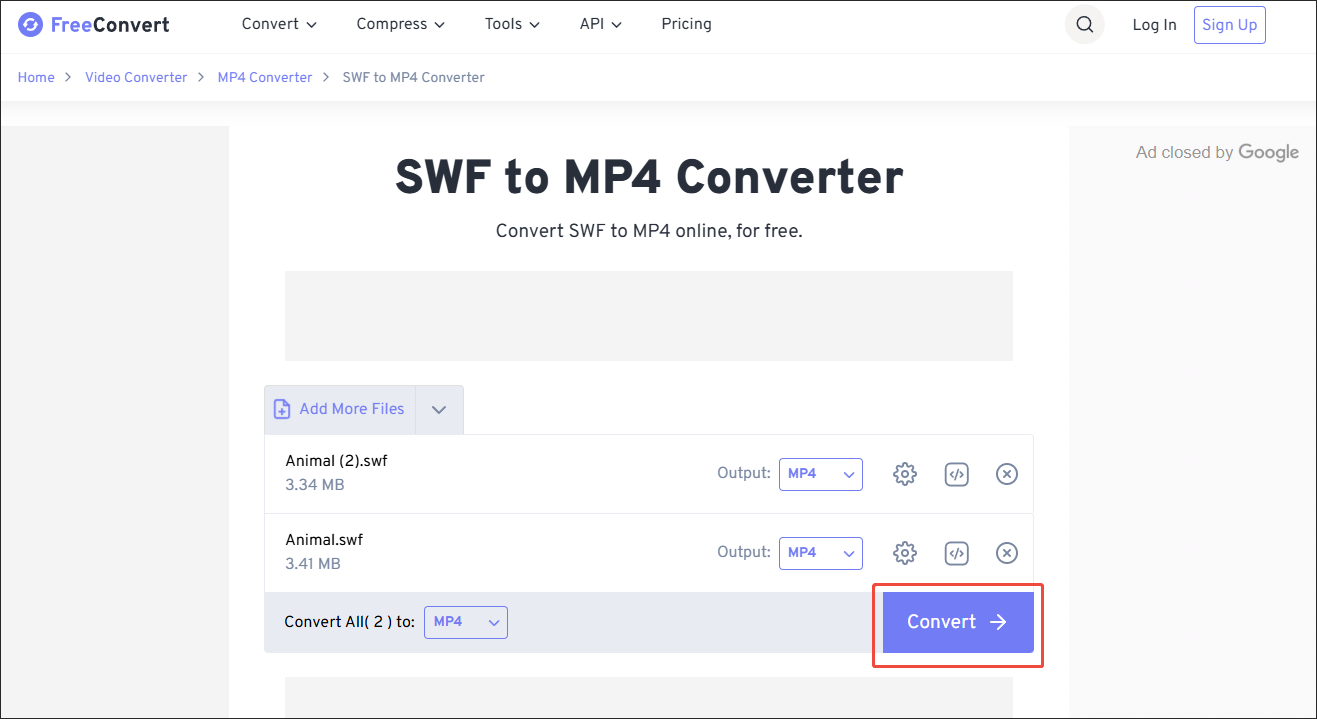
Step 4. Start conversion and check output files.
Begin the conversion process by clicking on the bottom-right Convert button. When the file conversion process completes, download and check the output files.
As you can see, FreeConvert is a reliable SWF to MP4 converter. It sets a high file size limit (1GB) for free users. However, FreeConvert contains some advertisements, which may distract your attention.

Bonus: How to Convert Other Formats to SWF
Do you want to convert other audio/video files to SWF? If you do, never miss MiniTool Video Converter. It is a batch video converter that allows you to convert up to 5 files to SWF simultaneously. Featuring an intuitive and 100% clean interface, MiniTool Video Converter is completely free and has no file size limit.
MiniTool Video Converter also offers advanced options that allow you to customize the encoder, frame rate, audio channel, bitrate, sample rate, and resolution of the output files.
MiniTool Video ConverterClick to Download100%Clean & Safe

In Summary
Can Firefox play SWF? The answer is no. To enjoy the SWF without conversion, you can add the Ruffle extension to Firefox. Also, you can use FreeConvert to convert SWF to a more compatible format, such as MP4.
User Comments :